



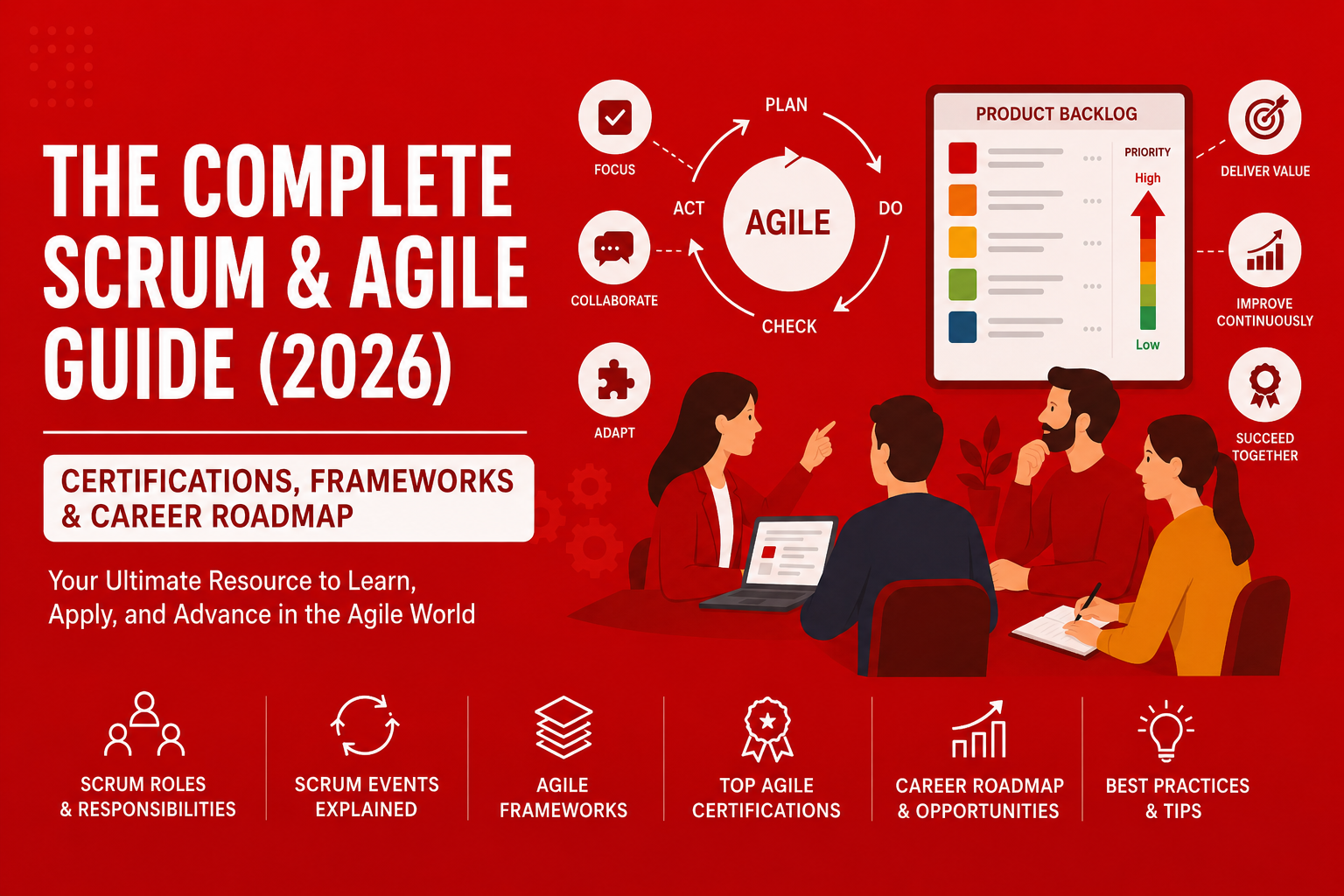
You’ve heard the buzzwords: sprints, backlogs, stand-ups, velocity. Your company ‘’pivoted to Agile’’ two years ago — but does anyone actually know what that means?
Here’s the uncomfortable truth: most teams that claim to be Agile are doing a watered-down version that delivers none of the real benefits. And most professionals who want Scrum certifications don’t know which one will actually move the needle on their career or their paycheck.
This guide fixes that. Whether you’re a developer, project manager, product owner, QA engineer, or a complete beginner, by the end of this page you will know:
- Exactly what Agile and Scrum are (and why they’re not the same thing)
- The historical context of Scrum before and after the Agile Manifesto
- How Scrum works in practice — roles, events, and artifacts explained clearly
- Epic vs User Story vs Task — and how to write effective user stories
- Definition of Ready (DoR) and Definition of Done (DoD) explained
- Which Scrum certification is right for your career stage and goals
- VMEdu certifications compared to other providers
- How to avoid the most common Agile transformation mistakes
- Why Story Points matter more than man-days — and how Team Velocity works
- A step-by-step roadmap to go from zero to certified in 30 days
1. The History of Scrum and Agile: How We Got Here
To truly understand Scrum, you need to know where it came from — and how it evolved when Agile entered the picture.
Scrum Before the Agile Manifesto (1986-2001)
Scrum didn’t start in software. The term first appeared in a 1986 Harvard Business Review article by Hirotaka Takeuchi and Ikujiro Nonaka called ‘The New New Product Development Game.’ They studied how companies like Honda, Canon, and Fuji-Xerox were building products faster than competitors — using small, cross-functional teams that worked in overlapping development phases.
In 1995, Jeff Sutherland and Ken Schwaber formalized Scrum as a software development framework. They presented it at OOPSLA ’95, defining the roles (Product Owner, Scrum Master, Team), events (Sprint, Daily Scrum, Sprint Review, Sprint Retrospective), and artifacts (Product Backlog, Sprint Backlog, Increment) that we still use today.
During this early period (1995-2001), Scrum existed alongside other iterative methods like Extreme Programming (XP), DSDM, and Crystal. Each had its own philosophy, but all shared a common frustration: traditional waterfall project management was failing to deliver software that met real user needs.
The Agile Manifesto and the Birth of a Movement (2001)
In February 2001, 17 software development leaders — including Sutherland, Schwaber, Kent Beck (XP), and Martin Fowler — met at a ski resort in Snowbird, Utah. They were looking for common ground between their different approaches.
What emerged was the Agile Manifesto — four core values and twelve principles that would unite all these methods under a single philosophy:
- Individuals and interactions over processes and tools
- Working software over comprehensive documentation
- Customer collaboration over contract negotiation
- Responding to change over following a plan
After 2001, Scrum became the most widely adopted framework for implementing Agile principles. Scrum provided the ‘how’ — the concrete structure — while Agile provided the ‘why’ — the values and mindset.
2. Agile vs Scrum: What’s the Actual Difference?
This is the #1 source of confusion in the industry, so let’s kill it right away.
Agile is a philosophy. Scrum is a framework.
Agile is a set of values and principles captured in the Agile Manifesto (published in 2001 by 17 software pioneers). It doesn’t tell you HOW to work — it tells you what to VALUE.
Scrum, on the other hand, is a concrete framework built on top of Agile values. It gives you specific roles to fill, specific meetings to run, and specific artifacts to manage. It answers the question: ‘How exactly do we work in an Agile way?’
| Dimension | Agile | Scrum |
| Type | Philosophy / Mindset | Framework / Methodology |
| Origin | Agile Manifesto, 2001 | Schwaber & Sutherland, 1995 |
| Prescriptiveness | Flexible, principles-based | Specific roles, events & artifacts |
| Timeboxes | Not required | Sprints (1–4 weeks) |
| Best for | Any team culture shift | Software & product development teams |
Other Agile Frameworks (Beyond Scrum)
Scrum is the most popular Agile framework, but it’s not the only one. Here’s how the landscape looks:
- Kanban — visual flow management, no sprints, continuous delivery
- SAFe (Scaled Agile Framework) — Agile at enterprise scale
- LeSS (Large-Scale Scrum) — Scrum applied to large, multi-team environments
- XP (Extreme Programming) — engineering practices: TDD, pair programming, CI
- DevOps — bridges development and operations; often layered onto Scrum
Scrum and Kanban are frequently combined into what practitioners call Scrumban — a hybrid approach worth knowing.
3. The Scrum Framework: A Complete Breakdown
Scrum is defined in the Scrum Guide (the official reference, free at scrumguides.org). It organises work around three pillars: Roles, Events, and Artifacts.
The Three Scrum Roles
- Product Owner (PO) — The value maximizer
- Owns and prioritises the Product Backlog
- Is the single voice of the customer/stakeholder
- Makes decisions on what gets built and in what order
- NOT a project manager (the PO doesn’t assign tasks to developers)
How the Product Owner Prioritizes the Backlog:
Backlog prioritization is one of the most critical responsibilities of the Product Owner. Effective POs use proven techniques:
- MoSCoW Method — Must have, Should have, Could have, Won’t have this time
- WSJF (Weighted Shortest Job First) — Cost of Delay divided by job duration
- Value vs Effort Matrix — plot items on a 2×2 grid to identify quick wins
- Kano Model — classify features by customer satisfaction impact
- Cost of Delay — what’s the financial/strategic cost of NOT doing this now?
- Business Value Points — assign numerical value scores to backlog items
The best Product Owners balance multiple inputs: business value, technical dependencies, risk reduction, customer urgency, and strategic alignment. They resist pressure to prioritize based solely on ‘who shouted loudest.’
- Scrum Master (SM) — The servant-leader and coach
- Protects the team from impediments and distractions
- Facilitates all Scrum events
- Coaches the team and organisation on Scrum theory
- Does NOT manage the team or control the sprint
The Impediment Log: A Scrum Master’s Key Tool
The impediment log (sometimes called the impediment backlog) is where the Scrum Master tracks obstacles preventing the team from achieving their Sprint Goal. Each impediment should be logged with:
- Description of the impediment
- Impact on the team (high/medium/low)
- Who is working on resolving it
- Expected resolution date
- Status (open, in progress, resolved, blocked)
Common impediments include: missing access to tools, unclear requirements, external dependencies, unresolved technical debt, organizational bureaucracy, and team conflicts. Great Scrum Masters make impediment removal visible and measurable.
Burndown and Burnup Charts Explained:
Sprint Burndown Chart: Shows remaining work (in story points or hours) over the sprint timeline. The ideal line slopes downward from total sprint capacity to zero. The actual line shows real progress. If the actual line is above ideal, the team is behind; below means ahead of schedule.
Release Burnup Chart: Shows cumulative work completed over multiple sprints toward a release goal. Unlike burndown, this chart goes UP as work is completed. It clearly shows progress trends and helps forecast release dates. Burnup charts are especially useful for stakeholder communication because they show both scope changes and completion progress on the same chart.
Scrum Masters use these charts to identify pacing problems early, facilitate conversations about scope creep, and protect the team from unrealistic commitments.
- Developers (formerly ‘Development Team’) — The builders
- Self-organising and cross-functional (design, code, test — all in one team)
- Typically 3–9 people for optimal performance
- Collectively own the Sprint Backlog and the Definition of Done
- No sub-roles or hierarchies within the team
⚡ Key insight: In Scrum, nobody tells the developers HOW to build. They self-organise to decide the best approach. The Product Owner says WHAT to build. The Scrum Master removes obstacles. This division is frequently misunderstood in poorly implemented Scrum.
The Five Scrum Events
All Scrum events are timeboxed — they have a maximum duration to maintain focus and discipline.
| Event | Purpose | Timebox | Who Attends |
| Sprint | The iteration — a fixed period where a ‘Done’ increment is created | 1–4 weeks | Full Scrum Team |
| Sprint Planning | Decide WHAT to build this sprint and HOW to approach it | Max 8 hrs (4-wk sprint) | Full Scrum Team |
| Daily Scrum | 15-min sync for developers to inspect progress and adapt plan | 15 minutes | Developers (PO/SM optional) |
| Sprint Review | Inspect the increment; gather stakeholder feedback | Max 4 hrs | Scrum Team + stakeholders |
| Sprint Retrospective | Reflect on process, collaboration, and identify improvements | Max 3 hrs | Full Scrum Team |
Important Note: What About Backlog Refinement?
Backlog Refinement is often discussed alongside Scrum events, but it is not considered an official Scrum event.
Unlike Sprint Planning, Daily Scrum, Sprint Review, and Sprint Retrospective, Backlog Refinement does not have a fixed timebox or a mandatory place in the Scrum cycle. Instead, it is an ongoing activity where the Product Owner and Developers collaborate to clarify, split, estimate, and prioritize Product Backlog items before Sprint Planning.
This does not make Backlog Refinement less important. In fact, it is one of the most useful activities for preparing future Sprints and reducing uncertainty. A well-refined backlog helps the Scrum Team enter Sprint Planning with clearer priorities, better understanding, and fewer last-minute questions.
To explore this topic in more detail, read our full guide:
Backlog Refinement in Scrum: Purpose, Benefits, and Best Practices
4. Understanding Work Breakdown: Epic, User Story, and Task
One of the most confusing aspects of Scrum for newcomers is understanding how work is broken down. Here’s the hierarchy:
Epic: The Big Picture
An Epic is a large body of work that can be broken down into smaller user stories. Epics typically represent major features, significant initiatives, or large customer requests that span multiple sprints.
Example: ‘Implement user authentication system’ — this is too big for one sprint and needs to be broken down.
User Story: The Deliverable Unit of Value
A User Story is a small, independently deliverable piece of functionality described from the user’s perspective. User stories should be completable within a single sprint.
Standard format: As a [type of user], I want [some goal] so that [some reason/value].
Example: ‘As a registered user, I want to log in using my email and password so that I can access my personal dashboard.’
Task: The Implementation Steps
Tasks are the technical work items that developers create to implement a user story. They represent the ‘how’ — the specific development activities needed to complete the story.
Example tasks for the login user story:
- Create login form UI component
- Implement email/password validation
- Build authentication API endpoint
- Add session management logic
- Write unit tests for auth service
- Update documentation
Writing Effective User Stories: The INVEST Criteria
A good user story follows the INVEST criteria:
- Independent — can be developed and delivered without dependencies on other stories
- Negotiable — details can be discussed and refined with the team
- Valuable — delivers clear value to the user or business
- Estimable — the team can estimate the effort required
- Small — completable within one sprint (typically 1-3 days of work)
- Testable — has clear acceptance criteria that can be verified
User stories that violate INVEST criteria lead to incomplete sprints, unclear deliverables, and frustrated teams.
5. Definition of Ready (DoR) and Definition of Done (DoD)
Two critical agreements prevent most Scrum implementation failures: knowing when work is ready to start, and knowing when it’s truly finished.
Definition of Ready (DoR): When Can We Start?
The Definition of Ready is a checklist that determines when a user story is ready to be pulled into a sprint. It prevents teams from starting work on poorly defined items that will inevitably stall or need rework.
A typical DoR includes:
- User story follows the standard format (As a… I want… so that…)
- Story has clear, testable acceptance criteria
- Story is sized/estimated by the team
- Dependencies are identified and resolved
- UI/UX mockups or wireframes are available (if applicable)
- Product Owner is available to answer questions
- Story meets INVEST criteria
Teams that skip the Definition of Ready waste sprint capacity on clarification meetings and blocked work. DoR is your first line of defense against scope creep and unclear requirements.
Definition of Done (DoD): What Does Finished Really Mean?
The Definition of Done is the single most important agreement in Scrum. It defines the quality standards that every increment must meet before it can be considered complete. Without a rigorous DoD, teams accumulate hidden technical debt sprint after sprint.
A comprehensive DoD typically includes:
- Code is written and committed to version control
- Code review completed and approved
- Unit tests written and passing (minimum code coverage met)
- Integration tests passing
- Feature deployed to staging environment
- Acceptance criteria verified by Product Owner
- Documentation updated (user docs, API docs, README)
- No critical or high-priority bugs remaining
- Performance benchmarks met
- Security scan completed (if applicable)
- Accessible to users with disabilities (WCAG compliance)
The DoD should be displayed prominently and referenced in every Sprint Review. Items that don’t meet the DoD cannot be counted in velocity and must return to the backlog.
Key difference: DoR is about readiness to start work. DoD is about quality standards for finished work. Both are essential, non-negotiable, and should be created collaboratively by the entire Scrum Team.
6. Scrum Metrics: Story Points, Velocity, and Why Man-Days Don’t Work
Why Story Points Over Man-Days?
One of the most common questions from teams new to Scrum: ‘Why can’t we just estimate in hours or days like we always have?’
The answer: because man-days create false precision and encourage micromanagement. Story Points work better because they estimate relative complexity, not absolute time.
Problems with man-days estimation:
- Different team members work at different speeds — 2 days for one person might be 5 days for another
- They ignore uncertainty and complexity, forcing teams to give false precision (‘this will take exactly 3.5 days’)
- They’re weaponized by management as commitments (‘you said 2 days, why did it take 3?’)
- They don’t account for interruptions, meetings, or context-switching
- They discourage collaboration (if you help a teammate, ‘your’ tasks fall behind)
How Story Points work:
Story Points represent the relative complexity, effort, and uncertainty of a user story — NOT the time it will take. Teams typically use the Fibonacci sequence (1, 2, 3, 5, 8, 13, 21) to avoid false precision.
Example: If your team agrees that ‘user login’ is a 3-point story, then ‘password reset’ might be a 5 (more complex), while ‘update profile picture’ might be a 2 (simpler). The actual hours don’t matter — what matters is the relative sizing.
- Teams estimate together using Planning Poker to build shared understanding
- Points account for complexity, risk, and unknowns — not just coding time
- Over time, the team’s velocity stabilizes and becomes predictable
- Story points can’t be compared across teams (each team’s scale is different)
Understanding Team Velocity
Velocity is the number of story points a team completes per sprint. It’s calculated by adding up the points for all user stories that meet the Definition of Done at the end of the sprint.
How velocity is used in sprint planning:
- After 3-4 sprints, a team’s velocity becomes predictable (e.g., consistently 30-35 points per sprint)
- During Sprint Planning, the team uses historical velocity to decide how many points to commit to
- If average velocity is 32 points, the team selects ~32 points worth of stories for the next sprint
- Velocity helps forecast release dates: ‘We have 200 points left, our velocity is 30, so ~7 sprints to completion’
Critical: Velocity is a planning tool, NOT a performance metric. Using velocity to compare teams or pressure individuals destroys trust and leads to gaming (inflating estimates, cutting quality). Teams that feel safe have stable, honest velocity. Teams under pressure have inflated, meaningless velocity.
Other Metrics Worth Tracking
- Sprint Burndown — Remaining work over the sprint duration; reveals pacing issues early
- Release Burnup — Progress toward a product goal over multiple sprints; great for stakeholder communication
- Cycle Time — How long items spend in progress; shorter is better, variability is the enemy
- Escaped Defects — Bugs found in production; high numbers signal a weak Definition of Done
- Team Happiness / NPS — Underrated but powerful; unhappy teams consistently underperform
Metrics to avoid: Individual velocity (destroys collaboration), velocity as a benchmark across teams (apples vs oranges), lines of code written (incentivizes bloat), number of meetings attended (not a proxy for engagement).
7. Tools You Need for Scrum & Agile Success
- Project & Backlog Management Tools
Essential for organizing user stories, tracking progress, and managing sprints. Popular options include Jira, Trello, and ClickUp. - Collaboration & Communication Tools
Helps distributed teams stay aligned through real-time communication and updates. Common tools include Slack, Microsoft Teams, and Google Workspace. - Documentation & Knowledge Sharing Tools
Used to maintain transparency and centralize project knowledge. Examples include Confluence, Notion, and Google Docs. - Whiteboarding & Planning Tools
Useful for sprint planning, retrospectives, and brainstorming sessions. Popular choices include Miro and Mural. - CI/CD & DevOps Tools
Support continuous integration and delivery to ensure fast, reliable releases. Tools like GitHub Actions, GitLab CI, and Jenkins are widely used. - Testing & Quality Assurance Tools
Help ensure product quality through automated and manual testing. Examples include Selenium, Cypress, and TestRail.
8. Common Mistakes in Scrum & Agile (and Why They Keep Teams Stuck)
- Treating Scrum as a rigid process instead of a mindset
Many teams focus only on ceremonies (daily standups, sprint planning, retrospectives) and ignore the core Agile principle of adaptability and continuous improvement. - Ignoring proper backlog prioritization
The product backlog often becomes an unorganized task list instead of a clear, value-driven roadmap, leading to unfocused sprints and low-impact work. - Weak or unclear Product Owner role
When the Product Owner lacks authority or is shared across multiple stakeholders, it results in slow decision-making, shifting priorities, and confusion within the team. - Working in silos instead of cross-functional teams
Separating design, development, QA, and operations reduces collaboration and breaks the fast feedback loop that Agile depends on. - Misusing velocity as a performance metric
Velocity is meant for planning and forecasting, not for evaluating individuals or comparing teams—using it incorrectly often leads to pressure and inaccurate reporting. - Skipping or undervaluing retrospectives
When teams treat retrospectives as optional, they miss out on continuous improvement, causing recurring issues and declining team morale. - Overloading sprints with unclear scope
Poorly defined or overly ambitious sprint goals often result in unfinished work and reduced predictability. - Ignoring stakeholder alignment
Lack of regular communication with stakeholders can lead to misaligned expectations and frequent last-minute changes.
9. Scrum Certifications: VMEdu vs the Competition
The certification landscape is crowded. Here’s the straight truth about VMEdu credentials and how they compare to other providers.
VMEdu ScrumStudy Certifications
ScrumStudy offers globally recognized Scrum certifications aligned with industry best practices. Their credentials emphasize practical application and real-world scenarios, not just theoretical knowledge.
ScrumStudy Certification Path:
- Scrum Fundamentals Certified (SFC) — An entry-level certification that introduces Scrum basics, intended for beginners who want to understand Agile and Scrum principles.
- Scrum Developer Certified (SDC) — A practitioner-level certification focused on applying Scrum in technical development work, intended for team members involved in building and delivering products.
- Scrum Master Certified (SMC) — A practitioner-level certification focused on facilitating Scrum teams and Agile processes, intended for aspiring or current Scrum Masters and team leads.
- Scrum Product Owner Certified (SPOC) — A practitioner-level certification focused on product ownership and value delivery, intended for product managers and Product Owners responsible for maximizing product value.
- Scrum Agile Master Certified (SAMC) — An advanced-level certification focused on scaling Scrum and managing complex Agile environments, intended for experienced practitioners working across multiple teams or enterprise Agile setups.
- Expert Scrum Master Certified (ESMC) — An expert-level certification focused on advanced Scrum mastery, coaching, and organizational Agile transformation, intended for highly experienced Scrum Masters and Agile coaches.
VMEdu vs Other Providers: Comparison
| Factor | VMEdu | Scrum Alliance (CSM) | Scrum.org (PSM) |
| Recognition | Global, 150+ countries | Global, highly recognized | Global, highly recognized |
| Entry-Level Price | $200-$400 | $1,000-$1,400 | $150-$200 |
| Renewal Required | Free Certifications: Lifetime access
Paid Certifications : Renew every 3 years (For more details, please click here) |
Yes (every 2 years, $100+) | No (lifetime) |
| Training Required | Self-study option | Mandatory 2-day course | Self-study option |
| Exam Difficulty | Moderate to High | Low (post-training) | Moderate to High |
| Retake Policy | Free retake(s) included | Limited retakes | Fee per retake |
| Best For | Budget-conscious, self-directed learners | Structured classroom learning | Self-study, no renewals |
Why choose VMEdu:
- Lifetime for the free certifications — no recurring fees or renewal requirements
- Rigours — Strict renewal requirements every 3 years ensure that as Agile practices advance, our certified professionals evolve alongside the industry.
- Flexible learning — study at your own pace, no mandatory classroom time
- Affordable pricing — 60-70% lower cost than Scrum Alliance equivalents
- Comprehensive study materials included in certification fee
- Free retakes — no additional cost if you need another attempt
- Industry-recognized worldwide
VMEdu certifications are especially valued in European and Middle Eastern markets, where they compete directly with more expensive alternatives. For professionals prioritizing cost-effectiveness and flexibility, VMEdu offers exceptional value without sacrificing employer recognition.
Certification Recommendations by Role
| Role | Recommended VMEdu Certification | Recommended upgrade |
| Team Lead / Agile Coach | Scrum Master Certified (SMC) | Scaled Scrum Master Certified (SSMC) |
| Product Manager / BA | Scrum Product Owner Certified (SPOC) | Scaled Scrum Product Owner Certified (SSPOC) |
| Developer / QA Engineer | Scrum Developer Certified (SDC) | Scrum Master Certified (SMC) OR Scrum Product Owner Certified (SPOC) |
| Senior Practitioner | ScrumStudy Agile Master Certified (SAMC) | Expert Scrum Master Certified (ESMC) |
| Complete Beginner | Scrum Fundamentals Certified (SFC) | Scrum Developer Certified (SDC) |
10. The 30-Day Scrum Certification Roadmap
Here’s a practical, proven study plan to earn your first Scrum certification in 30 days — even if you’re starting from zero.
Week 1: Build Your Foundation (Days 1-7)
- Day 1-2: Register for the Scrum Fundamentals Certified course at no cost to explore the platform
- Day 3-4: Read the official Scrum Guide
- Day 5-6: Watch Scrum in Practice videos; understand the 5 events in detail
- Day 7: Take a practice quiz; identify knowledge gaps
Week 2: Go Deep on Your Target Role (Days 8-14)
- Choose your certification: SMC (Scrum Master Certified), SPOC (Scrum Product Owner Certified), or Scrum Developer Certified (SDC)
- Study role-specific materials and case studies
- Understand real-world scenarios: conflict resolution, prioritization, technical debt
- Join an online Scrum community (Reddit r/scrum, LinkedIn groups)
Week 3: Practice & Apply (Days 15-21)
- Complete 3-4 full practice exams (Quizzes and study use cases) under timed conditions
- Review every wrong answer — understand WHY it’s wrong, not just the right answer
- If possible: attend or shadow a real sprint planning, daily scrum, or retrospective
- Study the Agile Manifesto principles in depth
Week 4: Final Prep & Certification (Days 22-30)
- Focus on weak areas identified from practice exams
- Re-read the Scrum Guide onee with fresh eyes
- Day 28: Book your exam slot
- Day 29: Light review only — no cramming
- Day 30: Pass your certification exam 🎉
11. Frequently Asked Questions (FAQ)
1. Which ScrumStudy certification should I start with if I’m new to Scrum?
Start with the Scrum Fundamentals Certified (SFC) or Scrum for Operations & DevOps Fundamentals Certified (SODFC). These are designed for beginners and give you a solid understanding of Agile principles, Scrum roles, and ceremonies before moving into advanced certifications.
2. What’s the best path to progress in ScrumStudy certifications?
A common roadmap is:
SFC™ → SMC™ → SPOC™ → Advanced / Scaled Scrum certifications.
After certification, immediately apply concepts in real or simulated projects to reinforce learning and prepare for interviews.
3. How can I prepare effectively for a ScrumStudy certification exam?
Focus on the official course materials first, then revise Scrum roles, artifacts, and events repeatedly. Take mock tests regularly and identify weak areas instead of memorizing content. Apply concepts to real-world scenarios for better retention.
4. What should I do after getting a ScrumStudy certification?
Don’t stop at certification. Update your CV and LinkedIn profile, then start applying Scrum practices in real projects or internships. Highlight your understanding of backlog management, sprint planning, and Agile delivery in interviews.
5. Is a ScrumStudy certification enough to get a job in Scrum roles?
It helps you get shortlisted, but it is not enough alone. Employers expect practical knowledge. Combine your certification with hands-on experience, even if it’s through simulations, case studies, or small projects.
6. How do I transition from certification to real Scrum experience quickly?
Start participating in Agile projects (or open-source teams), volunteer for Scrum-related roles like backlog refinement or sprint coordination, and document your contributions. This bridges the gap between theory and real-world application.
Conclusion: Your Scrum Journey Starts Today
Scrum and Agile are not trends — they are now the default operating model for high-performing teams across every industry. The professionals who thrive in the next decade will be those who don’t just talk about Agile but actually live it: iterating, collaborating, and continuously improving.
Whether your goal is to lead your first sprint, earn a salary-boosting certification, or transform your organisation’s culture, the path forward is clearer than it’s ever been.
Take the definitive next step in your career. Explore our Certification programs to validate your expertise, master real-world execution, and command the salary you deserve.
👉 Explore Scrum Certifications & Claim Your Roadmap
© 2026 GetVoucher. All rights reserved. | get-voucher.com
yassminetrigui4@gmail.com
Very interesting and helpful content. It clearly explains the SM vs PO roles. Thanks for sharing!
What Is an Online Proctored Exam? A Test-Taker’s Guide – GetVoucher
[…] The Complete Scrum & Agile Guide (2026): Certifications, Frameworks & Career Roadmap – Get… […]
Agile certification: what it means and how to get one – GetVoucher
[…] The Complete Scrum & Agile Guide (2026): Certifications, Frameworks & Career Roadmap – Get… […]
Scaled Scrum vs Scrum: which one actually fits your team? – GetVoucher
[…] The Complete Scrum & Agile Guide (2026): Certifications, Frameworks & Career Roadmap – Get… […]
SPOC vs CSPO vs PSPO: which Product Owner path fits you? – GetVoucher
[…] you are researching certifications beyond SPOC, GetVoucher’s broader Scrum and Agile certification guide maps out how different credentials fit into a longer career […]
Scrum vs Agile: 4 signs to choose Scrum and the fastest cert path – GetVoucher
[…] The Complete Scrum & Agile Guide (2026): Certifications, Frameworks & Career Roadmap […]
3 Step Voucher Roadmap to Agile Certification for Project Managers
[…] The Complete Scrum & Agile Guide (2026): Certifications, Frameworks & Career Roadmap […]
12–36 Months: Agile Coach Cert Path for Practitioners with Vouchers
[…] The Complete Scrum & Agile Guide (2026): Certifications, Frameworks & Career Roadmap […]
3 Role Based Professional Certifications for Cross Functional Careers
[…] delivery functions who want a recognised badge for skills they may already practise informally. The Complete Scrum & Agile Guide on GetVoucher breaks down the frameworks and career routes in more depth, and the Dual Agile Pack […]
Project Managers: 3 Quick Checks to Choose PRINCE2, Agile, or Hybrid
[…] The Complete Scrum & Agile Guide (2026): Certifications, Frameworks & Career Roadmap […]
PFQ to PMP: Project Management Certification to Advance Your Career
[…] The Complete Scrum & Agile Guide (2026): Certifications, Frameworks & Career Roadmap […]
5 Quick Checks to Pick SMC or PMP: Scrum Master vs Project Manager
[…] you’re still mapping out the wider Agile landscape before committing to one path, GetVoucher’s complete Scrum and Agile certification roadmap walks through how SMC connects to other credentials like Product Owner […]
Kanban Certification for Pros: Match Your Role to KANBANstudy Levels
[…] Scrum and Agile credentials that pair naturally with a future Kanban qualification, including the Complete Scrum & Agile Guide for a broader view of how these certifications fit together into a career roadmap. If you’re […]
Stop Guessing: 4 OKR Certification Levels for Leaders and GetVoucher Prep
[…] browse the certifications catalogue for related Agile and leadership credentials, or read the complete Scrum and Agile guide for a broader view of how these certifications fit together on a career […]
Become an Agile Coach Without Quitting Your Job: Certification Roadmap
[…] The Complete Scrum & Agile Guide (2026): Certifications, Frameworks & Career Roadmap […]