




To redeem an exam voucher, you sign in to the account the certification provider uses, enter the voucher code in the field it gives you, confirm the code matches your exam, and then book or start the exam. The detail changes by provider, and that is where most failed redemptions begin. Our vouchers, such as the Scrum Master Certified (SMC®) at £249, are redeemed through the provider’s own platform, so the steps below show you the general routine and what to check at each point.
Table of Contents
- What an exam voucher is
- Before you redeem: five checks
- The redemption routine, step by step
- Redeeming a GetVoucher certification voucher
- If the code is rejected or the discount does not appear
- Redeeming is not the same as claiming a free voucher
- What happens if you need to move your exam
- Our view on redemption
- Ready to choose a voucher
- FAQ
- Sources
What an exam voucher is
An exam voucher is a code that pays for, or discounts, a certification exam. Google Cloud describes its vouchers as single-use, individually coded and date-sensitive, valid only for a specific exam or exam group, and sometimes tied to a language, a user, an email domain or a country. Most providers work on the same principle, so treat a voucher as a one-off ticket with conditions printed on it.
For a fuller definition, see our guide to what an exam voucher means and covers.
Before you redeem: five checks
A few minutes here saves most of the problems later.
- Exam match. Vouchers are exam-specific. The Open Group says to confirm the selected exam matches the voucher when a code is rejected, and Microsoft staff have explained that a voucher for a retired exam cannot be switched at checkout.
- Expiry. Some providers want the voucher redeemed and the exam taken before the end date. HashiCorp states this explicitly. Others set a fixed life: AT*SQA vouchers last one year from purchase. A redemption deadline and an exam-completion deadline are not always the same thing, so read both. Our page on how long vouchers last goes deeper.
- Region and language. EXIN’s manual says its vouchers are valid only in the countries shown on the voucher and for one exam module.
- Name and account. Your account name should match your ID. AT*SQA, for example, requires that the name matches your identification.
- Delivery method. Some vouchers work for online proctored exams, some for test centres, some for both. Autodesk, for instance, describes a code that lets you schedule at a Pearson VUE centre or online. Never assume one provider’s delivery rules apply to another.
The redemption routine, step by step
There is no universal flow. These examples show the three patterns you will meet.
Pattern 1: enter the code at checkout
ISC2 asks you to add the exam to your cart and enter the code under Order Summary, after which the price drops to zero. Fortinet’s written exams work similarly through Pearson VUE: you expand the voucher field at checkout and paste the code.
Pattern 2: enter the code in your account first
PeopleCert asks you to sign in, enter the code on the Overview page, complete your profile so it matches your exam-day ID, and then use the scheduler. AAPC works through Purchases in your account and sends a Notice to Schedule email afterwards.
Pattern 3: redeem and sit the exam through the provider portal
With some providers the voucher unlocks an exam on the provider’s own platform rather than a third-party scheduler. This is the pattern for our SCRUMstudy and SMstudy vouchers: you redeem through the provider’s platform, and the exam is delivered online.
Keep three things distinct
These terms are often mixed up, and mixing them up causes missed deadlines:
| Term | What it means |
|---|---|
| Voucher redemption | Applying the code to an exam or course |
| Account activation | Creating or confirming the provider account that holds it |
| Exam booking or access | Choosing a slot, or starting an on-demand exam |
Some providers combine these in a single step. Others separate them by days. Check which applies to yours.
Redeeming a GetVoucher certification voucher
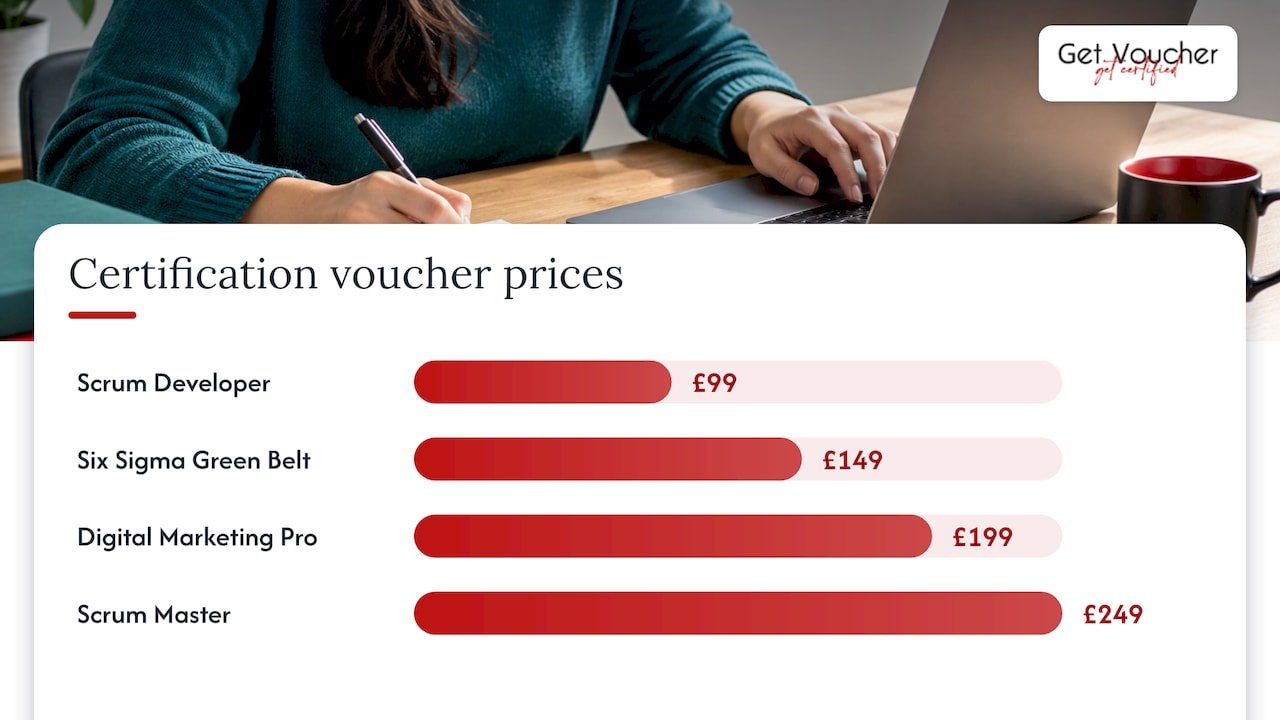
Our catalogue covers Scrum, Agile, digital marketing, Six Sigma, negotiation and risk management. Inclusions differ per product, so confirm what your specific voucher covers on its product page rather than assuming it matches another certification. Prices, as published in our catalogue, include:
| Certification | Price |
|---|---|
| Scrum Fundamentals Certified | £0 |
| Six Sigma Yellow Belt (SSYB™) | £0 |
| Scrum Developer Certified (SDC®) | £99 |
| Six Sigma Green Belt (SSGB™) | £149 |
| SMstudy® Certified Digital Marketing Professional | £199 |
| Scrum Master Certified (SMC®) | £249 |
Exam formats are provider-specific. SCRUMstudy SMC® uses a 100-question, 120-minute online unproctored exam, and SCRUMstudy Scrum Fundamentals Certified uses a 40-question, 60-minute online unproctored exam. SMstudy Digital Marketing Professional has no formal prerequisites, with Fundamentals only preferred, and uses a 100-question, 120-minute online unproctored exam. Unproctored does not mean easier or harder, and it does not tell you anything about open-book status. See our guides to how unproctored certifications work and online proctored exams to compare the formats.
If your goal is a Scrum exam, our provider-by-provider scheduling guide walks through booking. We sell SCRUMstudy, SMstudy and 6sigmastudy credentials through our commercial relationship with providers such as VMEdu. We do not sell Scrum Alliance or Scrum.org credentials.
If the code is rejected or the discount does not appear
Stop before you pay. Then work through this list, which draws on published help pages:
- Re-enter the code exactly. Copy and paste it. Talview’s troubleshooting guide notes that codes can be case-sensitive and that entering one in the wrong field is a common cause.
- Check the exam and prefix. The Open Group notes its Pearson vouchers begin with an OG prefix, a reminder that code formats are provider-specific.
- Check the email. StudyHaul advises signing in with the email the code was issued to and notes codes replace rather than stack with other discounts.
- Refresh and screenshot. Reload the payment page and keep a screenshot of the code and the screen.
- Contact the issuer. Send the code, the exam and the exact error message to the provider’s help desk, and do not post the code publicly.
If you bought your voucher from us and cannot redeem it, contact us through your GetVoucher account with the code, the certification and the message you see.
Redeeming is not the same as claiming a free voucher
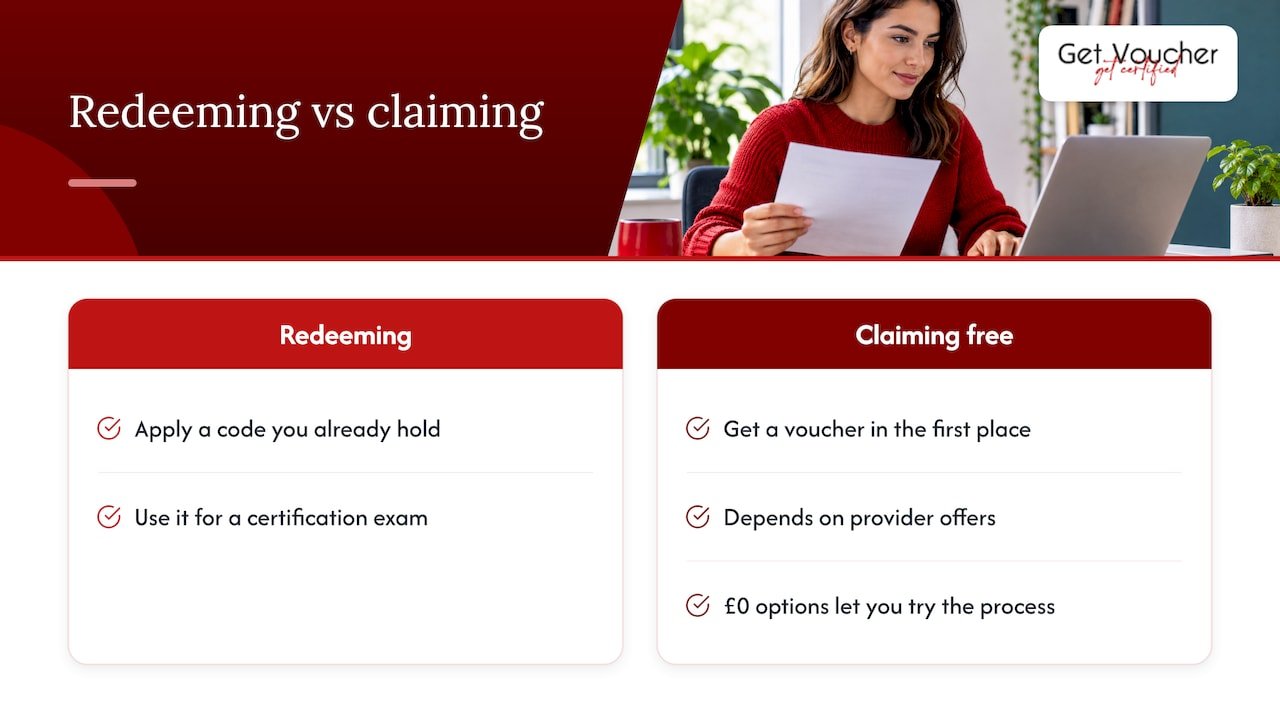
Redeeming means applying a code you already hold. Claiming a free voucher means getting one in the first place, and that depends on the provider’s own offers. In our catalogue, Scrum Fundamentals Certified and Six Sigma Yellow Belt (SSYB™) are listed at £0, which makes them a low-risk way to try the process before you buy anything paid. Free entry-level credentials are not the same as paid or accredited ones, so check what each certificate represents.
What happens if you need to move your exam
Before you redeem a voucher for a proctored slot, check the provider’s rules on changing dates and on retakes. Some codes include a retake, as CertNexus describes for its own vouchers, while others do not. Our guides on rescheduling without losing your fee and retake policies show what to look for.
Our view on redemption
Most redemption problems are not technical. They come from a voucher being bought without a clear idea of which exam, which account and which deadline it belongs to.
That is why we describe each certification separately. A SCRUMstudy exam, an SMstudy exam and a Six Sigma belt each have their own format, prerequisites and delivery, and we keep them apart rather than promising one process for all. We would rather you read the product page for your certification and know exactly what you are redeeming than discover a mismatch on exam day.
Our aim is to let working professionals and career switchers move from a free introductory credential to a more advanced one without classroom training, with the voucher, the learning resources for that product and a clear next step in one place.
Rayan
Ready to choose a voucher
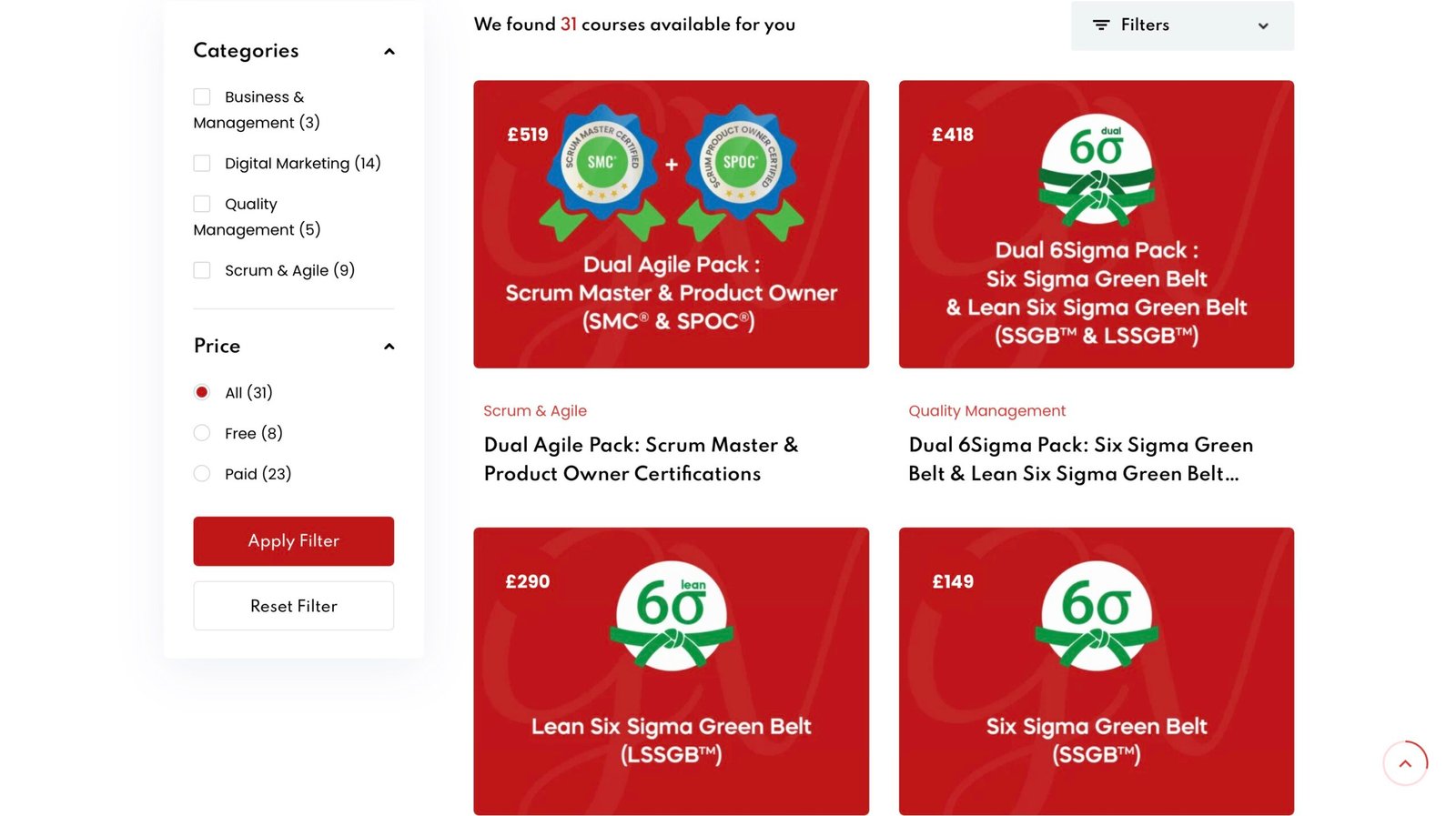
If you know which credential you want, you can browse the full range on GetVoucher, from Scrum and Agile to digital marketing, Six Sigma and negotiation. Check each product page for what that voucher includes.
FAQ
How do I use a voucher online?
Sign in to the provider’s account, enter the code in the voucher or promotion field, and confirm the exam it applies to. Then complete the booking or start the exam, depending on the provider. The exact field and order vary, so follow your provider’s instructions.
Can I use a voucher for a different exam?
Usually not. Vouchers are tied to a specific exam, and checkout will reject a mismatch. If the exam has been replaced, the issuer would need to arrange a replacement voucher.
Does a voucher expire?
Yes, most do, and the rules differ. Some require redemption by a date, others require the exam to be taken by it. Read the voucher’s terms on the day you receive it.
Can I get a refund on an unused voucher?
That depends on the voucher’s terms. Several providers state vouchers are non-refundable, so read the conditions before buying and check the issuer’s policy for your specific voucher.
Sources
- Google Cloud: Vouchers & Discounts
- The Open Group: My Voucher Code Is Not Accepted
- Microsoft Q&A: Voucher error for retired exam
- HashiCorp: How do I redeem an exam voucher
- AT*SQA: Steps for Getting Certified
- EXIN: Candidate Voucher Manual
- Autodesk Certification Support
- ISC2: How to Redeem a Voucher
- Fortinet: Redeem your exam voucher at Pearson VUE
- PeopleCert: Exam Registration Instructions
- AAPC: Certification Exams
- Talview: Voucher applied but discount not reflected
- StudyHaul: Promo Codes
- CertNexus: Candidate Handbook