




To sit a remotely invigilated exam you will usually need a computer with a webcam, microphone and speakers, a stable internet connection, valid photo ID that matches your registration name, and a quiet private room with a clear desk. The exact numbers differ by provider, so treat every figure below as an example from a named body and check your own exam provider’s current policy before booking.
This guide covers what the published rules say, in the order you will meet them: equipment, internet, ID, room, the check-in, and what to do if something fails mid-exam. It also covers a related point many candidates miss: some certifications are not remotely invigilated at all.
Table of Contents
- Quick comparison: what different bodies ask for
- Equipment: what your computer needs
- Internet requirements: speed and stability
- ID requirements: what to bring and how names must match
- Room and desk: setting up your space
- Check-in and conduct: what happens on the day
- A week-before checklist
- Remote does not always mean proctored
- Choosing a voucher that fits how you want to sit the exam
- Frequently asked questions
- Sources
Quick comparison: what different bodies ask for
Remote exam rules share a pattern, but the details vary. This table shows the figures published by the providers we reviewed.
| Requirement | What is published | Body |
|---|---|---|
| Operating system | Windows 10 or macOS 13 or higher | CompTIA |
| Hardware | Webcam, microphone and speakers; tablets and virtual machines not allowed | CompTIA |
| Connection | At least 6 Mbps download and 2 Mbps upload | CompTIA |
| Connection type | Wired ethernet recommended over Wi-Fi | IFoA |
| ID | Original, unexpired, government-issued photo ID matching your registration name exactly | LANGUAGECERT |
| Room | Quiet, private, walls and a closed door; 360-degree room scan | IIBA |
| VPN | Prohibited for ACCA remote session exams | ACCA |
None of these is a universal rule. A figure that applies to one provider’s exam says nothing about another’s.
Equipment: what your computer needs
The core kit is the same almost everywhere: a laptop or desktop, a working webcam, a microphone and speakers. CompTIA, for example, asks for a computer running Windows 10 or macOS 13 or higher, and states that virtual machines and tablets are not allowed. Phones, tablets, headphones and earbuds must be removed and placed out of arm’s reach.
Practical points that catch people out:
- Work laptops. Corporate security software, firewalls and device management can block the exam application. If you can, use a personal machine you control.
- External webcams and second monitors. Some providers restrict extra screens or require you to disconnect them. Read the policy for yours before you plug anything in.
- Updates and background software. Close unnecessary programs before you start. The Institute and Faculty of Actuaries tells UK candidates to close unnecessary software and complete pre-exam checks before the exam.
- Local time. The same guidance asks you to set your computer to local time, which avoids confusion over your start slot.
Internet requirements: speed and stability
Bandwidth matters less than stability. A connection that is fast but drops for ten seconds can end a session. CompTIA publishes a minimum of 6 Mbps download and 2 Mbps upload on a private, stable connection, wired or reliable Wi-Fi.
The IFoA goes further and recommends wired ethernet instead of Wi-Fi to reduce the risk of disconnection. Sensible habits for any provider:
- Run the provider’s own system check, not just a generic speed test. It tests the specific services the exam uses.
- Sit near the router, or plug in with a cable.
- Ask others on your network not to stream video or download large files during your slot.
- Avoid public or shared networks such as cafés, which often block the ports proctoring software needs.
- Do not turn on a VPN unless your provider allows it. ACCA, for one, prohibits VPN connections during remote session exams.
ID requirements: what to bring and how names must match
Expect to show a physical, original document to your webcam. LANGUAGECERT’s policy is typical: original, unexpired, government-issued photo ID, such as a passport or driving licence, with your name exactly as it appears on your exam registration.
That last clause causes more failed check-ins than any technical fault. Before you book:
- Compare the name on your registration with the name on your ID, letter by letter, including middle names, hyphens and accents.
- Check the expiry date. An expired document is usually rejected outright.
- Use the original, not a photocopy or a photo on your phone.
- If your provider lists accepted documents, use one from that list. Acceptable ID varies by provider and by country.
If your name has changed or your documents show different spellings, contact the provider’s support before exam day, not during check-in.
Room and desk: setting up your space
The room rules are strict because the invigilator can only see what your camera shows. The IIBA asks for a quiet, private room with walls and a closed door, with no one else entering, and a workspace clear of materials such as pictures, posters and whiteboards. A 360-degree room scan is part of its process.
Desk rules can be tighter still. The Alliance of Canadian Physiotherapy regulators, for instance, requires a workstation surface clear of everything except the testing device, ID and printed appointment confirmation. Other providers allow a notepad or whiteboard, so do not assume either way.
A setup checklist:
- Clear the desk and the wall behind you.
- Put your phone out of reach, if the provider requires it.
- Tell housemates, and put a note on the door.
- Use even lighting, with the light in front of you rather than behind.
- Dress fully: CompTIA requires candidates to be fully dressed before check-in and to keep upper and lower body covered throughout.
If you are setting up a space for a team or a group of learners, general guidance such as virtual training best practices can help you think about distraction-free remote sessions, though your exam provider’s rules always come first.
Check-in and conduct: what happens on the day
Check-in is where the rules above are verified. In general you will be asked to confirm your identity with your ID, show your room and desk, and grant the software the permissions it needs. The exact steps, and what the invigilator can see or record, are set by each provider and described in its candidate guide. Read the privacy and recording sections of that guide, because they differ.
Once you start, typical conduct rules include:
- Keep your head and shoulders visible, with camera, screen and audio on. The IFoA guidance states this and asks you to use the support chat for technical issues.
- Do not use email, messaging apps or other communication tools once onboarding is complete.
- Stay in the room, and do not leave the camera’s view unless the rules allow a break.
- Do not read questions aloud unless told you may.
If your connection or equipment fails
Stay calm and do not restart your machine unprompted. Use the support chat or the contact channel listed in your confirmation. Providers differ on whether you can resume, reschedule or must resit, so read the section of your policy on technical interruptions before exam day. Candidates who have completed the system test in advance rarely hit these problems.
A week-before checklist
| When | What to do |
|---|---|
| One week before | Run the provider’s system check on the machine and network you will use. Confirm ID name matches registration. |
| Two days before | Update the operating system and browser if the provider recommends it. Clear the desk area. |
| Day before | Re-run the system check. Charge or plug in your device. Tell others in the household. |
| Exam day | Close other programs. Have ID and any permitted confirmation to hand. Log in early. |
If nerves are the bigger risk for you, our guide to evidence-backed exam anxiety strategies is worth reading.
Remote does not always mean proctored
Many people searching for remote exam requirements assume every online exam is invigilated by webcam. It is not. Some certifications are taken online without a proctor, and the requirements are then mostly about a computer and a connection. We explain how that works in our guide to what an online proctored exam is and in how professionals verify unproctored certifications.
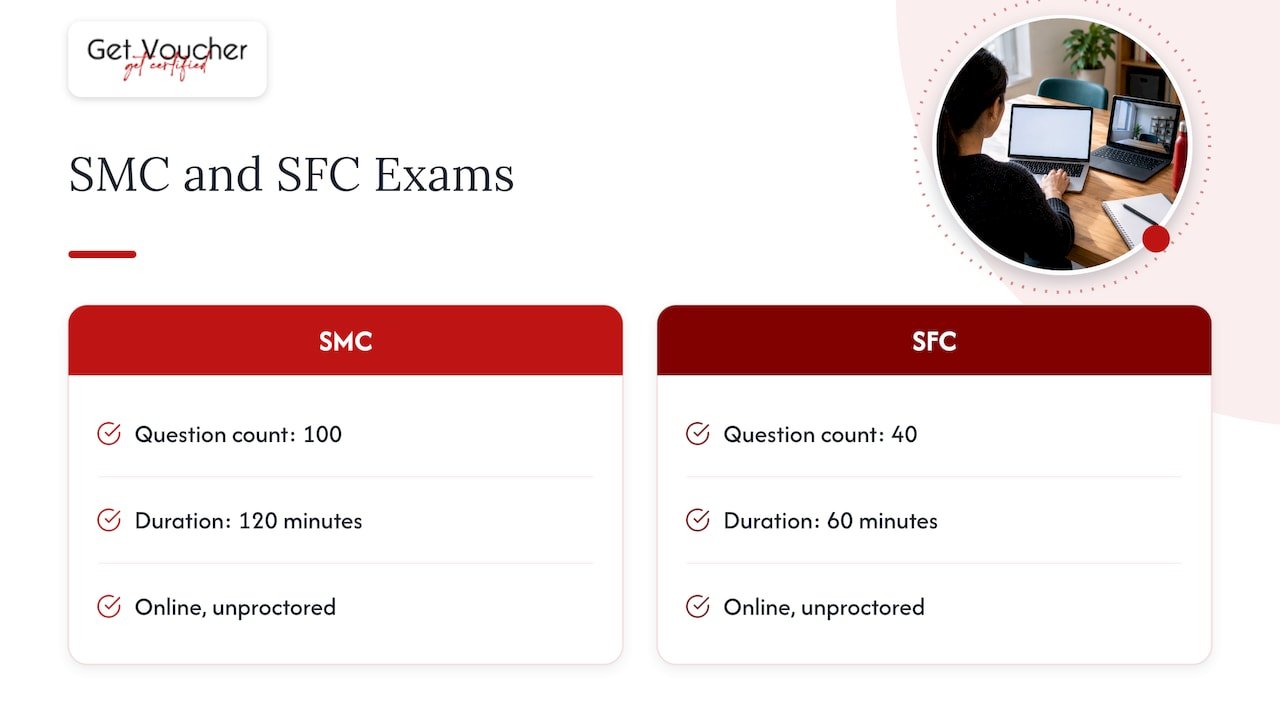
For SCRUMstudy, the SMC® uses a 100-question, 120-minute online unproctored exam, and the SFC uses a 40-question, 60-minute online unproctored exam. SMC and SAMC are online unproctored exams, not proctored assessments. Neither format is inherently more credible than the other, and rules for other providers differ. See our Scrum exam format comparison and Six Sigma exam format guide for provider-by-provider detail, and our guide to scheduling a Scrum exam for booking steps.
Our perspective
We see the same mistake repeatedly: candidates prepare thoroughly for the content and leave the logistics until the morning of the exam. A name mismatch or a blocked webcam can cost a slot, and that is avoidable.
Our view is that a good certification route starts by knowing how the exam is delivered. That is why we describe each voucher’s format on its own terms rather than assuming one model fits everything. Some of the certifications we offer through SCRUMstudy, SMstudy and 6sigmastudy are taken online without a proctor, which suits professionals who cannot easily arrange a quiet, invigilated window around work.
That does not make one format better. It means you can choose the format that fits your situation, then read the provider’s rules closely. We also recommend that you confirm what each product includes, because training, materials and scheduling support are described per product.
Rayan
Choosing a voucher that fits how you want to sit the exam
GetVoucher sells digital vouchers for certification courses and exams from providers such as VMEdu, SCRUMstudy, SMstudy and 6sigmastudy. We have a commercial relationship with these providers, and we describe each product’s inclusions individually, so check the product page for what yours covers.
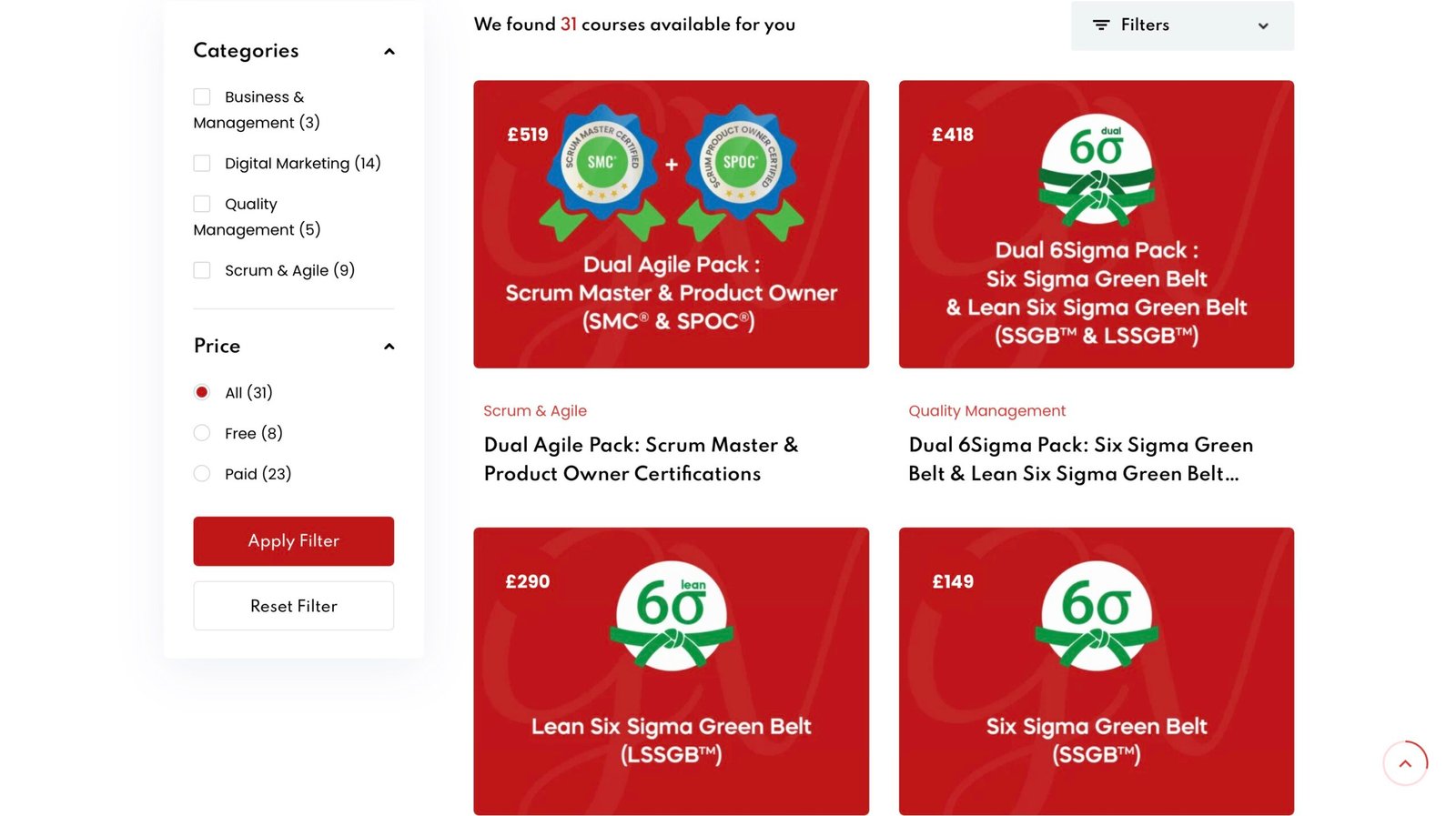
If you want a starting point, the Scrum Master Certified (SMC®) voucher is £249, and Scrum Fundamentals Certified is £0. You can compare the full range on our certifications page.
Before buying any voucher, read how long it lasts and what happens on a retake: see exam voucher expiration, the retake policy guide and what an exam voucher covers. Redemption deadlines and exam completion deadlines can differ, so confirm both with the provider.
Frequently asked questions
What internet speed do I need for a remote exam?
It depends on the provider. CompTIA publishes a minimum of 6 Mbps download and 2 Mbps upload. Stability matters as much as speed, so a wired connection is often recommended. Always run the provider’s own system check.
Which ID is accepted for an online exam?
Providers generally want an original, unexpired, government-issued photo ID, such as a passport or driving licence, and your name must match your exam registration exactly. The accepted list varies by provider, so check yours before you book.
Can I use a VPN during a remote exam?
Not always. ACCA prohibits VPN connections during remote session exams, and other providers may have similar rules. Switch off any VPN and close unneeded software before check-in unless your provider says otherwise.
Can I take an exam on a tablet or phone?
Usually not. CompTIA does not allow tablets or virtual machines, and requires phones to be out of reach. Use a laptop or desktop with a webcam, microphone and speakers unless your provider states otherwise.
Sources
- CompTIA Online-Proctored Exam Guidelines
- IFoA Examination Guidelines
- LANGUAGECERT Identification Policy
- IIBA Guide to Online Proctored Exams
- Alliance remote proctoring FAQ
- ACCA remote exams: before you book
- Virtual training best practices