



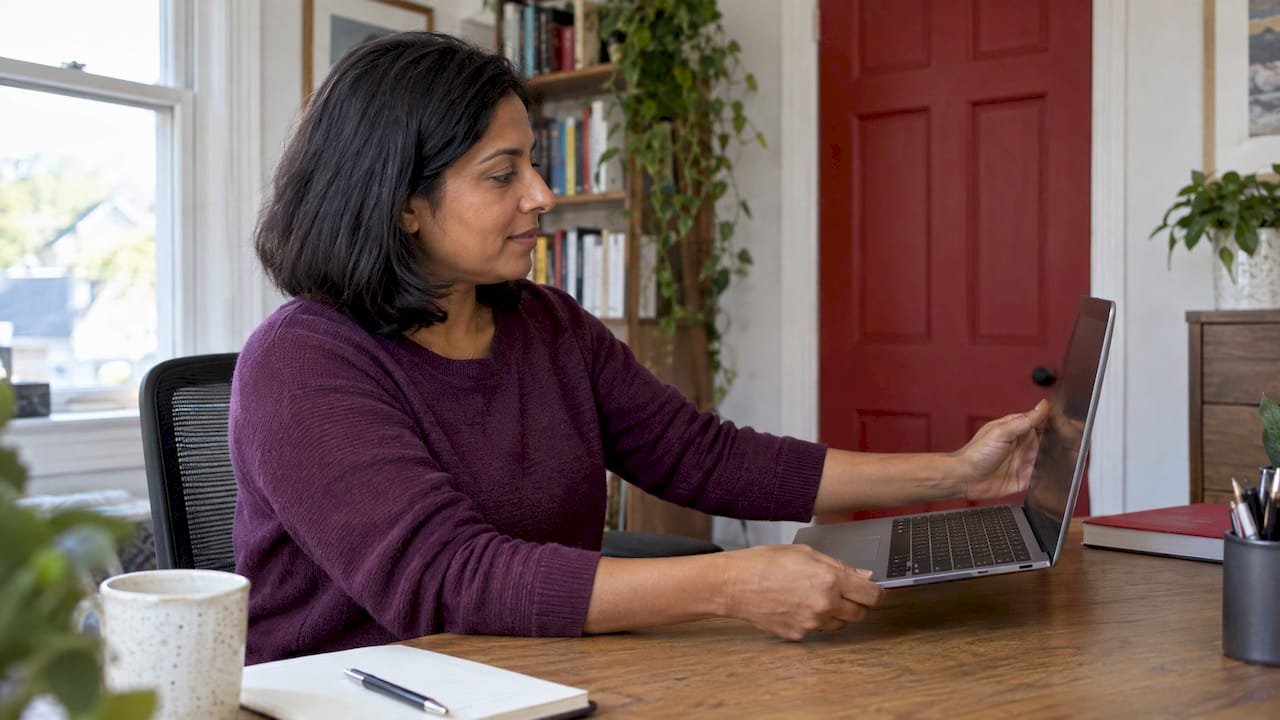
A room scan is a short camera sweep of your desk and surroundings before a remotely proctored exam starts, so the proctor can see that no notes, devices or other people are present. The rules are set by the exam sponsor and the proctoring platform, not by a single universal standard, so the safest approach is to learn the common pattern below, then read the instructions for your own exam. If you are choosing a certification and want to know whether a scan applies to it at all, the format of each exam is provider-specific, and we cover how to check that further down.
Table of Contents
- What a room scan is and why exams ask for one
- How a room scan usually works, step by step
- What can and cannot be in the room
- A worked example: preparing a desk in ten minutes
- What happens if the scan fails or the room is not acceptable
- Accommodations and special circumstances
- Privacy: what you are agreeing to
- Do all certifications use a room scan?
- Nerves on the day
- Our view: know the format before you pay
- Choosing a certification with the format in mind
- FAQ
- Sources
What a room scan is and why exams ask for one
A room scan is a camera-based check of the testing area, generally used to verify that unauthorised materials or other people are not present. It is normally done after ID check-in and before the first question. You are asked to pick up your webcam or turn your laptop, and show the proctor the places where notes, a second screen or a helper could be hiding.
The scan sits inside a wider monitoring set-up. CompTIA explains that its provider, Pearson, uses continuous webcam and microphone monitoring, that session audio and video may be recorded and reviewed for security, quality assurance and fraud prevention, and that photos of your testing environment may be reviewed for compliance. In other words, the scan is not a formality that disappears once you start. What you show at the beginning is the standard you are held to for the whole session.
The scan is also not guaranteed for every exam. Proctorio says desk scans or full environment scans are optional requirements chosen by the exam administrator, and a university guide for another platform notes that room scans can be switched on or off for each exam. Your instructions are the authority.
How a room scan usually works, step by step
Providers word it differently, but the sequence is very consistent. The steps below combine the common elements from several published candidate guides.
1. Prepare the room before you log in
Choose a private, quiet, well-lit space. Prometric’s ProProctor guide says the testing space must be indoors, well lit, quiet and free of third parties. Clear the desk first. Doing this before check-in matters because the scan clock is short on some systems: Inspera gives candidates one minute to record the scan, so you do not want to be tidying while recording.
Where it goes wrong: people clear the desk but forget the shelf behind the monitor, a sticky note on the screen bezel or a second monitor pushed to the side.
2. Show the desk, top and underneath
Proctors want the working surface and what is beneath it. Prometric asks candidates to show the desk top and underside, the floor and the chair. Honorlock’s help centre tells candidates to scan the work area, underneath it, around the room and behind the device. PSI’s guidance goes a little further and recommends a desk scan including beneath the laptop or keyboard.
Move slowly. A fast pan produces blurred footage, and blurred footage is the commonest reason a proctor asks you to repeat the scan.
3. Do the slow 360-degree turn
This is the part everyone pictures. You rotate the camera through the whole room, showing all four walls, any shelves and the doorway. Prometric describes a slow 360-degree view including walls and shelves. Inspera requires table, floor and ceiling checks plus a complete 360-degree scan. NAMSS asks for a 360-degree scan that includes behind the computer and under the desk, plus showing the monitor through a reflective surface.
A tip that follows from this: use a laptop on a stable surface or an external webcam on a long cable. If your camera is fixed, Proctorio says a handheld mirror can be used to show the desk, which is worth knowing before exam day rather than during it.
4. Show your phone, then put it away
Many exams use a phone for the check, then require it to be out of reach. NAMSS says a phone used for the check must then be stored away. IIBA’s January 2022 procedure calls for a 360-degree scan, a floor-to-ceiling view, a desk and under-desk scan, and showing the phone before placing it out of reach. Some sponsors, such as College Board for CLEP, do permit a smartphone, so do not assume the rule is the same everywhere.
5. Check yourself, then review the recording if the platform allows
PSI recommends a self-scan too: show your wrists, ears and any accessories. On Honorlock, candidates may review and retake the scan before submission. If you get that option, use it. A second take costs seconds and can save a delayed start.
What can and cannot be in the room
The scan is only the proof. The real rule is what is allowed on the desk and within reach. The published lists differ, which is why you should read yours.
| Item | What published guidance says |
|---|---|
| Books, notes, writing materials | CompTIA directs candidates to remove them from the desk and keep them beyond arm’s reach |
| Food and drink | Barred from the testing area under College Board’s CLEP rules; CompTIA also lists them for removal |
| Tissues | CompTIA lists tissues, towels and handkerchiefs for removal; Prometric permits two tissues, subject to live-proctor inspection |
| Extra electronics, smartwatches, recording devices | Barred under CLEP rules, which also bar bags and weapons |
| Phone | Permitted by CLEP; to be stored away under NAMSS and IIBA procedures |
| Second monitor | NAMSS says candidates cannot use multiple monitors |
| Other people | NAMSS says you must be alone and visible and audible throughout; Prometric requires a space free of third parties |
| Bookshelves in the background | PSI says they need not automatically be removed if you do not access them, but anything the sponsor explicitly prohibits must go |
Two points deserve attention. First, tissues are allowed by one body and banned by another, which shows why generic checklists are risky. Second, Prometric says procedures may vary by exam and that sponsors may require additional items to be removed, and it states that the sponsor’s policies take priority. Follow your sponsor’s instructions, not the most relaxed rule you find online.
A worked example: preparing a desk in ten minutes
Suppose you are sitting an exam that follows a typical remote-proctoring routine: ID check, desk scan, 360-degree turn.
- Clear everything off the desk except the device and anything your instructions explicitly permit.
- Move bags, drinks and notebooks behind you and out of arm’s reach.
- Unplug or turn away any second monitor and close the lid on any spare laptop.
- Cover or remove whiteboards and posters that show relevant material. This is a precaution, not a rule on every exam.
- Close the door, tell anyone at home the exam length, and put a note on the door.
- Test your lighting so the desk underside and corners are visible.
- Rehearse the scan once at a steady pace. Timing yourself against a one-minute limit is sensible if your platform uses one.
The rehearsal is the step people skip, and it is the one that removes most of the stress.
What happens if the scan fails or the room is not acceptable
The consequences depend on the sponsor, but the pattern is clear in published rules. CISI’s ProctorU guide states that the room must be private and quiet, and that if the invigilator is not satisfied with the environment the exam will not proceed. It also warns that if another person or animal enters the exam room, the exam may be terminated and the results invalidated.
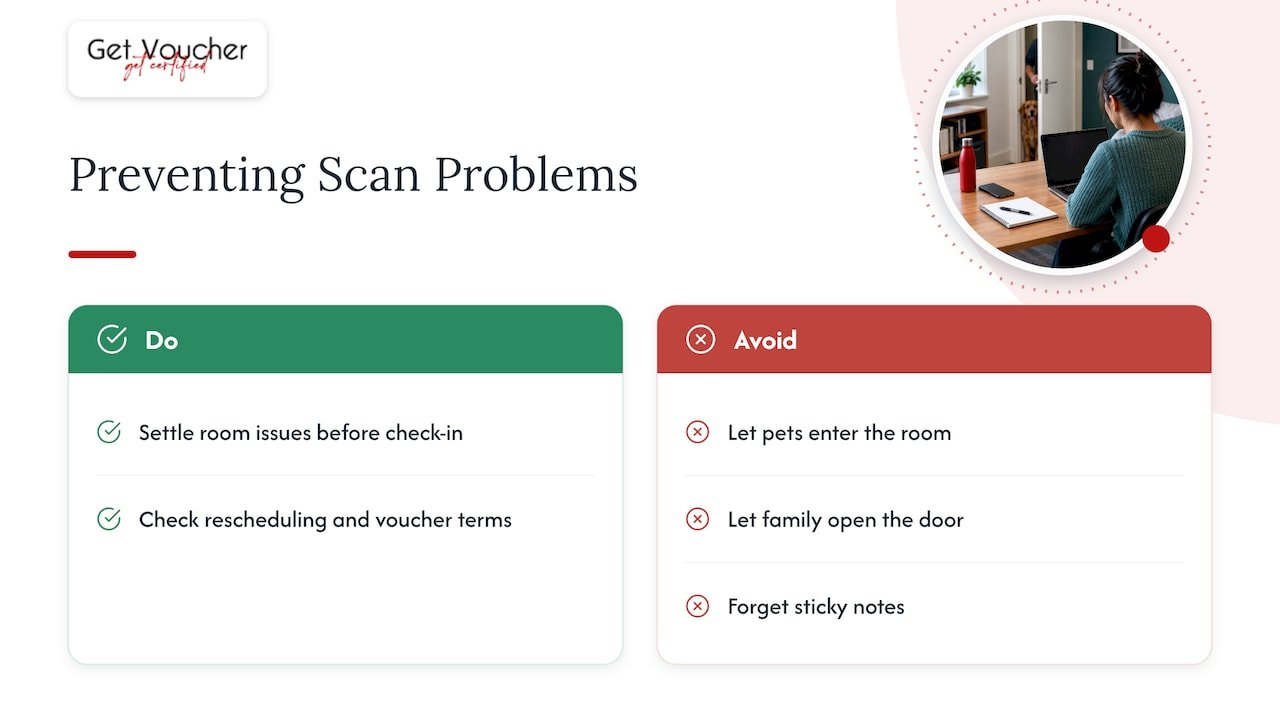
In practice, a proctor who spots a problem will usually ask you to remove the item or repeat the scan. The costly situations are the ones you can prevent: a pet that wanders in, a family member who opens the door, a sticky note you forgot. Settle these before check-in. If a retake or fee is at stake, check how rescheduling works and what your voucher allows, since voucher validity and exam deadlines are separate questions.
Accommodations and special circumstances
If you need an adjustment for a disability or medical condition, ask before you schedule, not on exam day. IIBA’s guide says candidates needing accommodations should request them before scheduling, and that the accommodation set-up with PSI can take up to 10 business days. That is one provider’s process, but the lesson carries: leave time for approval.
If you cannot physically perform a scan, for example because your camera is fixed, a handheld mirror may be an option on some platforms, but it is the exam administrator who decides. Contact the provider’s support channel before the day, and keep the reply.
Privacy: what you are agreeing to
Recording is part of the process. IIBA’s guide says check-in and the whole session are recorded and saved by PSI, and CompTIA says session audio and video may be recorded and reviewed. Universities have raised privacy, equity and false-positive concerns about scans, which is one reason some administrators make them optional. Legal debate also exists in the United States: a 2025 law review article reports that a district court’s ruling on room scans in the Ogletree case was later vacated on procedural grounds, leaving the constitutional question unresolved. For a UK candidate sitting a professional certification, the practical point is simpler: read the privacy notice shown at check-in, and choose a room where a scan will not expose more of your home than you want to show. A plain wall and a clear desk help.
Do all certifications use a room scan?
No. Whether a scan applies depends on the provider and the specific exam. Proctored and unproctored formats both exist in professional certification, and neither is inherently more credible than the other. For the exams we sell through GetVoucher, the format is set by each provider and each product, so check the product page before you assume anything.
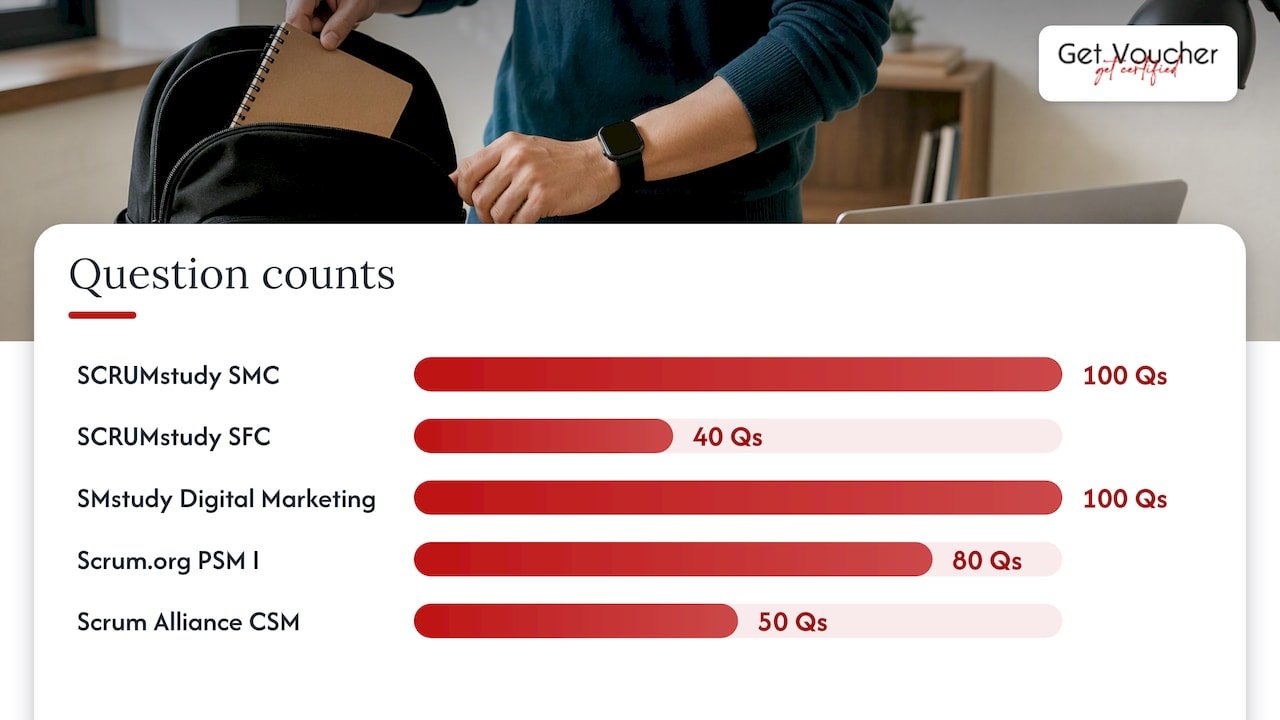
For example, SCRUMstudy’s SMC® uses a 100-question, 120-minute online unproctored exam, and SCRUMstudy’s SFC uses a 40-question, 60-minute online unproctored exam. The SMstudy Digital Marketing Professional exam is also an online unproctored exam, with 100 questions in 120 minutes. SCRUMstudy SMC and SAMC use online unproctored exams, not generic proctored assessments. Other providers differ: Scrum.org’s PSM I has 80 questions in 60 minutes with an 85% pass score, and the Scrum Alliance CSM® has 50 questions in 60 minutes with a 74% pass score after the required 16-hour course. Those are separate credentials and are not sold by GetVoucher. Our guides on Scrum exam formats and Six Sigma exam formats set out each provider’s rules, and the guide to unproctored certifications explains how to verify a format before you buy.
If you do face a proctored exam, our remote exam requirements guide covers equipment, internet, ID and room rules, and what an online proctored exam is explains the whole session. For booking steps, see the provider-by-provider scheduling guide.
Nerves on the day
The scan is often what rattles candidates, not the exam. Being watched while you show your bedroom or home office feels odd the first time. Doing a practice scan, taking practice exams under realistic conditions and using evidence-backed techniques for exam anxiety all reduce the effect. Arrive early to check-in, keep your ID to hand, and breathe before you start the sweep.
Our view: know the format before you pay
Candidates often treat the room scan as a technical detail, and then discover on the morning of the exam that their provider’s rules differ from what they read in a forum. We work with providers such as VMEdu and the certification bodies behind SCRUMstudy, SMstudy, 6sigmastudy and NGstudy, and that is a commercial relationship we want you to know about.
Our approach is to describe inclusions per product and leave the rules of each exam with the provider that sets them. The exam format, whether it is proctored, how it is booked and what it requires of your room are all provider-specific, and we do not treat one provider’s rule as a general one. A voucher is a route to a particular provider’s exam, so the sensible order is to confirm the format, read the provider’s candidate guide, then buy.
That is why we publish format guides next to our catalogue. A professional who knows in advance whether a room scan applies, and what it involves, sits the exam calmer and loses less time to avoidable problems. Certification shows you have met a provider’s standard. It does not by itself prove real-world performance or guarantee career outcomes, and we would rather say so plainly.
Rayan
Choosing a certification with the format in mind
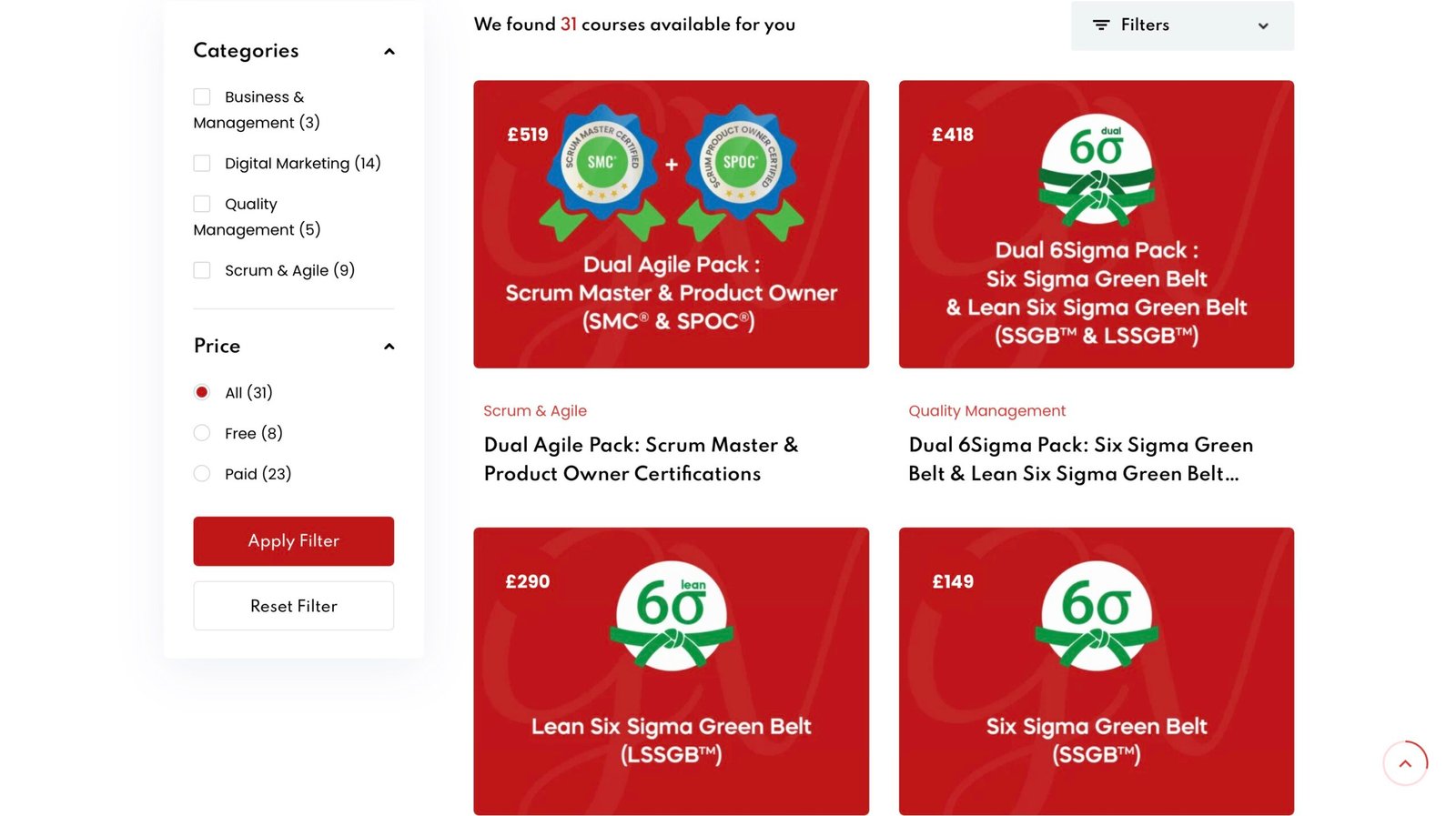
If you want an exam you can plan around, start with the format, then the content. Our Scrum Master Certified (SMC®) voucher is priced at £249, and the Scrum Fundamentals Certified voucher is listed at £0. The full list, including SMstudy marketing certifications at £199 and Six Sigma options, is on the certifications page. What each purchase includes varies by product, so read the individual product page.
FAQ
Is a room scan compulsory for every online exam?
No. It is set by the exam administrator, and some platforms let administrators switch it on or off for each exam. Check the candidate instructions for your own exam, and if they do not mention a scan, ask the provider rather than assuming.
How long does a room scan take?
It depends on the platform. Inspera, for instance, gives candidates one minute to record the scan, while live-proctored systems may ask you to show things while a proctor watches. Practise at a steady pace so you can finish inside the stated limit.
Can I have a bookshelf or notes behind me?
It depends on the sponsor. PSI says background bookshelves need not automatically be removed if you do not access them, but items the sponsor explicitly prohibits must be cleared. Notes on the desk or within reach are a different matter and are commonly required to be removed.
What if someone walks into the room during the exam?
Under CISI’s published rules, the exam may be terminated or the results invalidated if another person or animal enters the room. Tell everyone at home when you start and put a notice on the door.
Do GetVoucher exams use a room scan?
Not as a general rule, because format is product-specific. SCRUMstudy SMC and SAMC use online unproctored exams. Check the product page and the provider’s guide for the exam you choose.
Sources
- CompTIA Online-Proctored Exam Guidelines
- Honorlock: Room Scans FAQ
- Honorlock Help Center: Completing a Room Scan
- Prometric ProProctor User Guide
- Inspera Help Center: How to conduct a Room Scan
- NAMSS: Remote Live Proctoring
- IIBA Guide to Online Proctored Exams, January 2022
- PSI: How to set up your room for a remote online proctored exam
- College Board: CLEP Remote Proctoring Requirements
- Proctorio: Performing a Desk Scan
- Penn State: Honorlock Room Scan Guidance
- CISI: Remote Invigilation guide
- The Constitution and Online Exams, Penn State Law Review