




To verify a certification online, go to the organisation that issued it, enter the credential ID or open the verification link, and check that the record shows the right holder, the exact certification name, the issuing body and a current status. A PDF, a badge or a screenshot is only a claim. The issuer’s live record is the evidence. If you hold the certification yourself, the same check shows you exactly what an employer or client will see when you share your link, and that is worth knowing before you add it to a CV or LinkedIn profile.
This guide covers the routine for professional certifications such as Scrum, Six Sigma and marketing credentials, then the variations for Microsoft and ISO certificates, and what to do when a check fails. We also explain how GetVoucher vouchers relate to the certificate you eventually receive, because the verification path depends on who issues the credential.
Table of Contents
- What verifying a certification actually means
- The five-step check for a professional certificate
- What a verification link does and does not prove
- Checking training and education certificates in the UK
- How to verify a Microsoft certification
- How to check whether an ISO certificate is valid
- When a certificate cannot be verified
- Verifying certificates sold through GetVoucher
- Our perspective
- Where to start if you want a verifiable credential
- FAQ
- Sources
What verifying a certification actually means
Verification is confirming with the issuing organisation that a named person holds a specific credential, and finding out its current status. Gauge’s guide to certification verification describes a useful check as covering four things: the holder, the certification name or level, the issuing body and the expiry date where one applies. That last point separates an active credential from a document that only records something achieved in the past.
The Association of Business Psychologists makes the same point from the issuer’s side. A valid credential links to a live online record showing who holds it, what type of recognition it is, who awarded it and whether it is current or historical. Badges and logos are signposts only: without the live link behind them they cannot confirm anything.
So the useful distinction is not paper versus digital. It is whether you are looking at the issuer’s own record or at an image of one. Certifications.ng’s 2026 guide notes that seals, watermarks and signatures are the first things a forger copies, which is why only the issuer’s records settle the question.
The five-step check for a professional certificate
The steps below work for most online certifications. Details differ by provider, so treat each step as a pattern and follow the issuer’s own instructions where they differ.
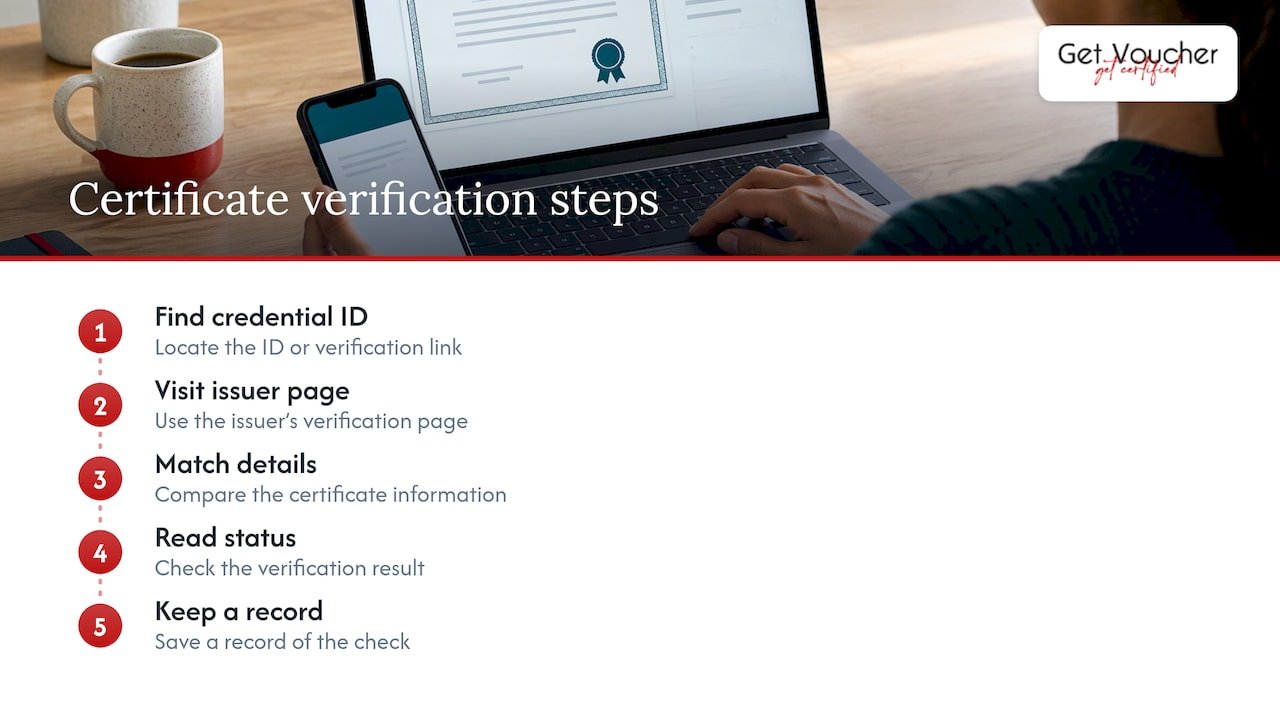
1. Find the credential ID or verification link
Most digital certificates carry an ID, a link or a QR code. Common places to look, according to Certopus’s help page on credential IDs, are the delivery email, the holder’s credentials page, the final part of the credential’s access link after the last slash, or inside the credential file itself. If a certificate has no number at all, Zertify points out that it cannot be checked, and you should ask the holder for a proper reference.
If you are the holder, keep the email in which the certificate arrived. It usually contains the ID and the link you will want to share later.
2. Go to the issuer’s own verification page
Type the issuer’s address yourself or reach it from a source you trust, rather than relying only on a link sent by the person being checked. Zertify lists a QR code that leads to a different domain from the issuer’s as one warning sign. Where a QR code is printed on the certificate, scan it, then look at the address it opens before you trust the result.
Issuers set up their pages in different ways:
- A public lookup by ID. Platforms such as CertDirectory let anyone verify without an account through a public URL or an ID lookup page. The result shows a status (Valid, Pending, Expired or Revoked), the issuing organisation, the recipient and the issue and expiry dates.
- A request the holder must approve. NEBOSH offers a free service where an employer scans the QR code or enters the printed certificate details, and the learner authorises the request by email before the result is confirmed. Older certificates without a QR code need a manual request form.
- A primary-source system only. The National Certification Corporation in the United States states that its online system is the only route for verification, with no mail, fax or phone checks.
For SCRUMstudy credentials, the provider publishes a certification verification page where you enter the certification type and the certificate number. That is the page to use for the SCRUMstudy certificates sold through GetVoucher.
3. Match the details exactly
A record that exists is not enough. Certifications.ng advises confirming that the page names the expected issuer, and that the full name, the exact award title and the issue date match the document you were given. Check the level too. A Scrum Fundamentals certificate and a Scrum Master certificate are different credentials, and a record for one does not support a claim to the other.
Name differences are the most common innocent mismatch. People marry, divorce or use a shortened first name, and a record may carry a different version from the one on a CV. If this applies to your own certificate, our guide to correcting a name on a certificate explains how to approach it.
4. Read the status, not just the tick
A green tick can mean very little. Certifications.ng separates weak verification pages, which pull a database row and print a tick, from stronger systems that sign the credential details so that altering the record breaks a cryptographic check. You cannot always tell which kind you are using, so read what the page actually says: status, dates and the credential name.
Status matters because some credentials expire and others do not. Where an expiry or renewal applies, it is set by the provider. Do not assume the rules of one provider apply to another. For Scrum certifications in particular, see our explainer on what expires and what doesn’t.
5. Keep a record of the check
If you are verifying for an employer or client, note the date, the page you used and what it said. A saved screenshot of a live record is a useful file note, but it is not a substitute for the live record itself. The ABP stresses that the verification view always reflects the credential’s standing at the moment it is opened, so a copied image can go out of date.
What a verification link does and does not prove
A successful check proves one thing: the issuer’s record exists and matches. It does not prove everything else.
Certifications.ng notes two limits. First, the link does not prove the person sending it is the named holder. Identity needs a separate check, normally government ID. Second, it does not prove the award is worth anything: a genuine certificate from an unaccredited body is genuinely issued but carries little weight.
The same logic applies to what a credential tells you about ability. A verified certificate shows that someone met the issuer’s requirements for that credential. It is not proof of job performance, salary or career progression, and each provider sets its own prerequisites and assessment format. Some exams are proctored, which means supervised remotely, and others are online and unproctored. Neither format is inherently more credible. What matters is that you know which one the credential used. Our guide on how professionals verify unproctored certifications explains how to read that.
Checking training and education certificates in the UK
UK awarding and training bodies often run their own lookup. The UKQAS verification service, for example, asks for a certificate reference number and the learner’s surname. Request forms and lookups are the norm, so search for the awarding body by name and use its own page.
For a worked example of how a printed code feeds into a check, the steps for checking training certificates with a QR code or printed details follow the same logic: capture what is printed, then confirm it with the entity that issued it. The principle is also behind tutor certificate verification, where an issuer-linked record gives stronger evidence than an image of a certificate.
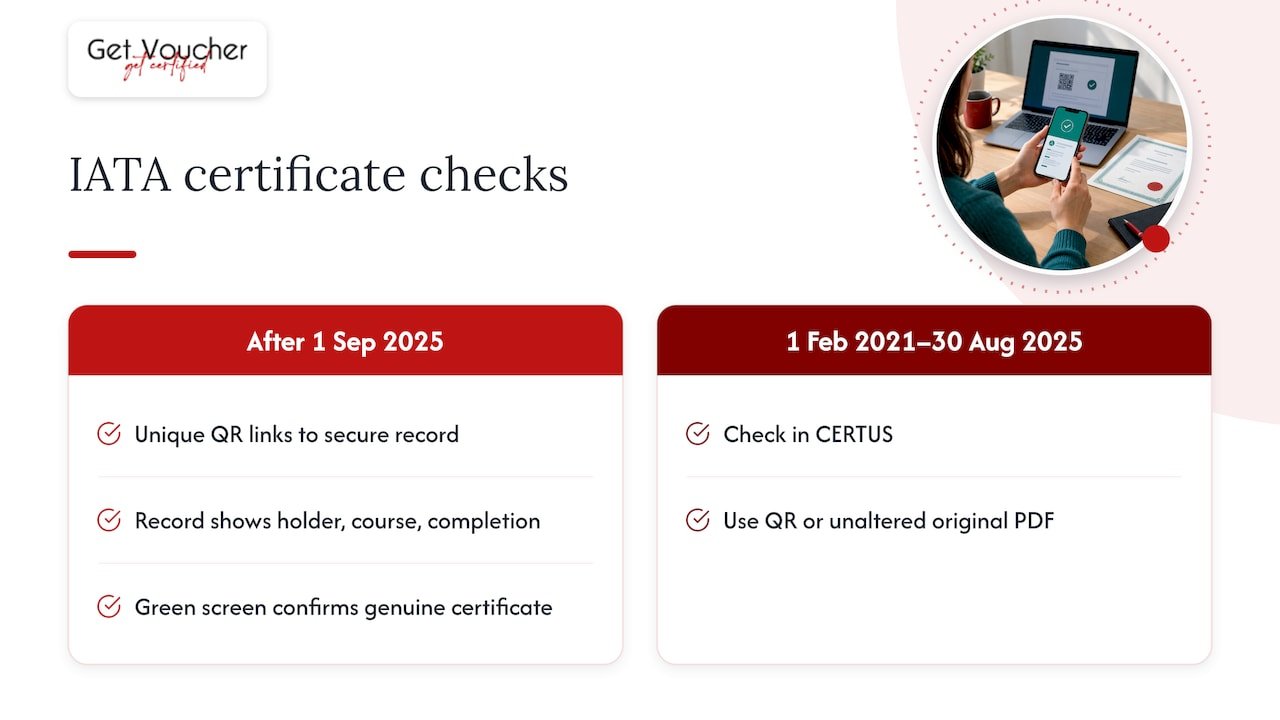
Airline and transport training is a good example of an issuer upgrading its system. IATA says certificates issued after 1 September 2025 carry a unique QR code linking to a secure record with the holder’s name, course title and completion details, and a genuine certificate opens a green verification screen. Certificates issued between 1 February 2021 and 30 August 2025 are checked a different way, in its CERTUS system by QR code or the unaltered original PDF. The lesson: the age of a certificate can change how it is verified, so check the issuer’s page for the version you hold.
How to verify a Microsoft certification
Microsoft credentials are verified through the holder’s Microsoft Learn profile. According to Microsoft’s guidance on sharing and validating credentials, the holder signs in and selects Profile, then Credentials, then Certifications, and opens the certification details. Verified credentials carry an “Online Verifiable” tag and can be shared with a link. The profile must be public for a shared credential to be verified, so a link may fail simply because the holder’s profile is private. If a lookup fails, ask the holder to check that setting before assuming anything else.
How to check whether an ISO certificate is valid
ISO certificates need a different approach because they apply to organisations, not individuals. ISO itself does not issue certificates. Certification is carried out by independent certification bodies, and the check runs through IAF CertSearch, a database that aggregates data from accreditation and certification bodies, or through the certification body directly.
A reliable ISO check has three layers:
- The certificate itself. ANAB lists what a management-systems certificate should show: the certification body’s name and mark, the current standard and version, the scope, the certified company’s name and location, issue and expiry dates, and a unique ID.
- The certification body’s accreditation. UKAS advises confirming that the body is accredited by an accreditation body that signs the IAF Multilateral Recognition Arrangement for the relevant scope, then validating the certificate through the body’s own search or direct contact.
- Coverage. Check that the scope and the sites on the certificate cover what you are buying. Zertify notes that a certificate for a parent or sister company does not cover the legal entity you are dealing with.
UKAS also warns that IAF CertSearch is a good first port of call but is not comprehensively populated, so a missing entry is not proof of fraud. It is a reason to ask the certification body directly.
When a certificate cannot be verified
A failed lookup is a question for the issuer, not a verdict. Gauge’s guide cautions that name changes, incorrect identifiers and the way a programme publishes its records can all affect a result, and that a pending renewal does not mean a credential is still active.
A sensible sequence:
- Re-check the details. Retype the ID, try the name as it appears on the certificate and confirm the credential type.
- Find the issuer independently. Use its real website, not contact details printed on the document in question.
- Write to its registrar. Include the holder’s name, certificate number, programme title and year, and record who answered and when, as Certifications.ng recommends.
- Weigh several red flags together. Zertify’s view is that a single typo or old template does not prove fraud, but an issuer that cannot be found, a QR code leading to another domain, a mismatched company name or a certificate existing only as an image together justify demanding written confirmation with a deadline.
- Treat a denial as final. If the issuer says the certificate does not exist or is no longer valid, treat the claim as unproven.
The red flags for ISO certificates are slightly different. SCL lists claims of being issued by ISO itself, no accreditation mark, validity longer than three years, and certificates issued within days with no on-site audit.
Verifying certificates sold through GetVoucher
GetVoucher sells vouchers for certification courses and exams from providers including VMEdu and certification bodies such as SCRUMstudy, SMstudy, 6sigmastudy and NGstudy. We have a commercial relationship with these providers, and the credential you earn is issued by the certification body, not by us. That is why the verification route for those certificates is the provider’s own page.
A few provider-specific points help you read a result correctly:
- SCRUMstudy’s SMC® uses an online, unproctored exam of 100 questions in 120 minutes. SCRUMstudy’s Scrum Fundamentals Certified exam has 40 questions in 60 minutes, also online and unproctored.
- SMstudy’s Digital Marketing Professional has no formal prerequisites, and uses a 100-question, 120-minute online unproctored exam.
- Inclusions differ by product, so check the individual product page for what your voucher covers. The Scrum Fundamentals Certified page is a good example of a product page that sets out its own details.
Vouchers also have their own timing rules. If you are holding one before sitting an exam, see how exam voucher expiration works, since redeeming a voucher and completing the exam can have separate deadlines.
Our perspective
We see verification as the part of certification that makes the rest worth doing. A credential is useful to you only if someone else can check it, and the check should lead to the provider’s record, not to a file you sent.
That is why we describe each certification by its provider, its exam format and its own rules. SCRUMstudy, SMstudy, 6sigmastudy and NGstudy each issue their own credentials, so each has its own verification route and its own conditions. We do not treat them as interchangeable, and we do not claim that a certificate proves how someone performs at work.
Our aim is to make certification more accessible and affordable, with clear progression from free introductory credentials towards more advanced ones. Whichever you choose, keep your credential ID and link safe, and open your own verification page once to see what an employer would see.
Rayan
Where to start if you want a verifiable credential
If you are choosing a certification you can share with a verifiable record, start with the path that matches your role. For Scrum, the Scrum Master Certified (SMC®) voucher costs £249 and the Scrum Product Owner Certified (SPOC®) voucher costs £299. The free Scrum Fundamentals Certified and Six Sigma Yellow Belt entries are £0 for those who want an introductory credential first.
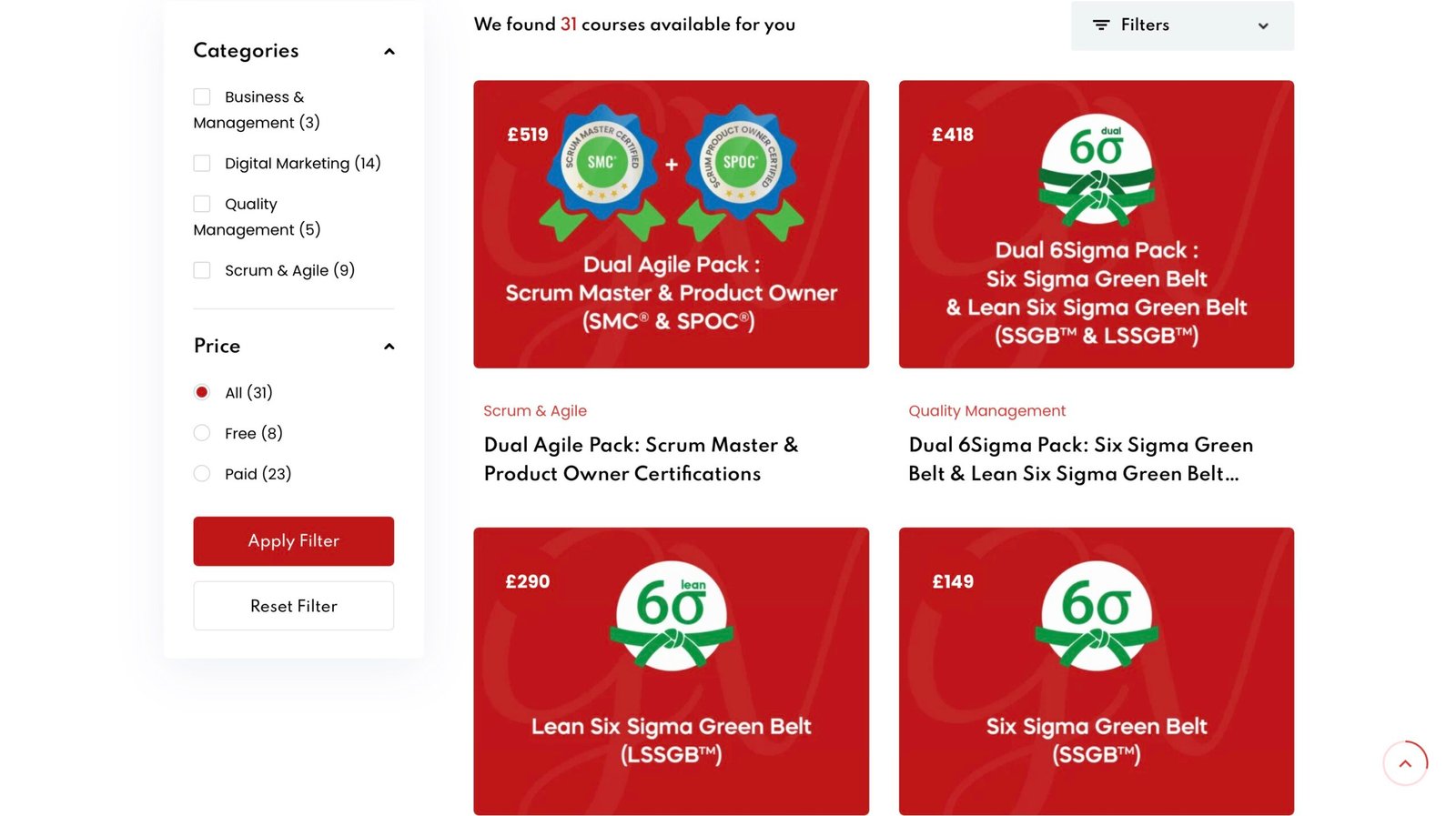
You can browse every available certification, with prices and providers, on our certifications page.
FAQ
What is a certificate verification link?
It is a web address, often generated by the issuer, that opens the live record for one credential. The record should show the holder, credential name, issuer and status. Because the link points to the issuer’s system, it is stronger evidence than a PDF or an image.
Can I check my own certificate online?
Yes. Most issuers give holders a profile or email containing the credential ID and a shareable link. Microsoft holders, for instance, view their certifications in their Microsoft Learn profile. Open your own link once, ideally in a private browser window, to see what an outsider sees.
What should I do if the verification page shows nothing?
Do not treat it as a final answer. Check the ID, the spelling of the name and the credential type, then contact the issuer through contact details you found independently. Give the holder’s name, certificate number, programme title and year, and keep a note of the reply.
Does a verified certificate prove someone can do the job?
No. It confirms that the person met the issuer’s requirements for that credential and that the record is genuine. Identity, experience and performance need separate checks, and the requirements differ by provider.
Sources
- Certification Verification: How to Confirm Credentials (Gauge)
- How to Recognise a Valid ABP Credential
- How to Verify a Certificate Online (2026 Guide), Certifications.ng
- Where to find credential ID? Certopus Knowledge Base
- How to Verify an ISO Certificate in Five Steps, Zertify
- Verifying a Credential, CertDirectory
- NEBOSH verifications employer guide
- National Certification Corporation verifications
- SCRUMstudy certification verification
- UKQAS online verification
- Training certificate checks with a QR code
- Tutor certificate verification, Inclusive-AF
- IATA: Validate IATA Training Certificate
- Sharing and validating Microsoft credentials
- ISO: Certification
- ANAB: What to look for on a certificate
- UKAS: Validating MS certificates
- SCL: How to verify an ISO certificate